How to Create Customer Onboarding Videos
Create customer onboarding videos step-by-step using the best tools and practices to boost user adoption and simplify your SaaS onboarding process.

Customers are like guests at a party. If they walk in and do not know what is going on, they will not stay long.
Most users sign up with excitement, thinking your product will solve their problem. Within a few minutes, that excitement starts to fade when they do not know what to do next.
This is why nearly 75% of users stop using your product in the first week when customer onboarding is not done properly.
And that is why having clear customer onboarding videos for Saas is so important for your customers. When customers can see what to do, they feel more confident.
The best part is that creating customer onboarding videos is no longer complicated.
With tools like VideoMule, you can turn a simple screen recording into a customer onboarding video and even reduce time-to-value by up to 34%.
In this blog, we will walk through 6 steps to help you create customer onboarding videos and show you how to do it faster using VideoMule.
Skip the learning curve. VideoMule turns any screen recording into a polished, narrated onboarding video in under a minute — no mic, no editing. Try it free.
Why Customer Onboarding Videos Are SaaS Retention Gold
Users do not want to spend time figuring things out. They want results.
That's where customer onboarding videos come in.
These short videos show users what to do step by step. They can just follow along instead of guessing or clicking around.
With onboarding video software, users understand things faster. Video onboarding can lead to 95% retention.
This is compared to 10% with text. It can even reduce support tickets by around 20%.
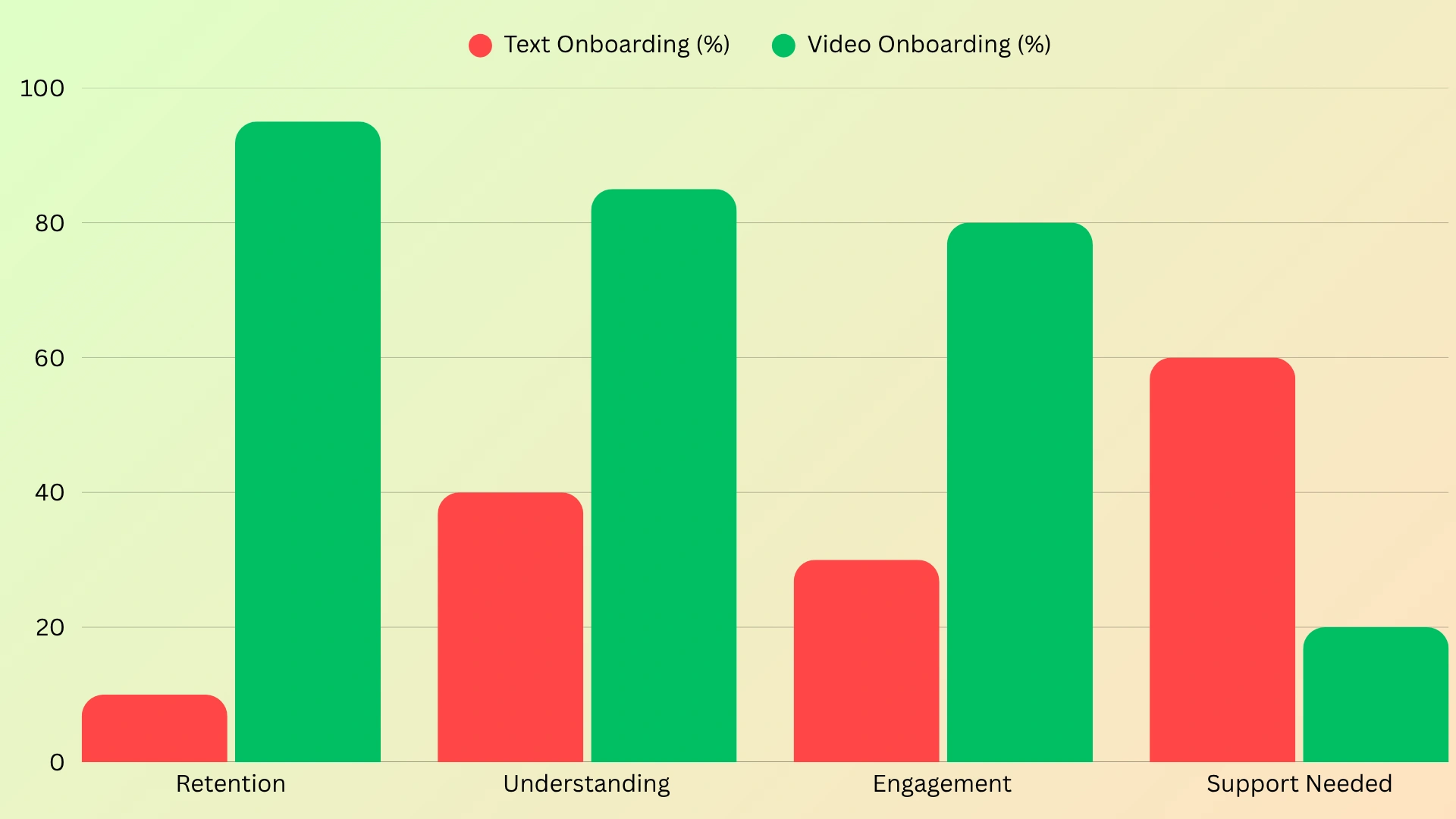
You can make various types of onboarding videos. These include a video, product tour, or feature walkthrough.
Following video onboarding practices helps users get their first win quickly.
If you want to go deeper, you can also check this guide on how to make a tutorial video.
Now that you know why it matters so much, let’s see how to create onboarding videos step by step.
How to Create Customer Onboarding Videos
Stage 1 – Plan Your Onboarding Video Strategy
Before recording, plan what your onboarding video will show.
You can think of it as guiding a new user step by step. Start by understanding the user
journey, like: Sign up → Try first feature → Start using the product
For example, you can create a simple SaaS product onboarding video to show users how to get started with your tool.
Based on this, you can create simple videos such as a welcome video, a tutorial, or a quick check-in.
And here’s where VideoMule makes things easier.
Once your steps are planned, just record your screen, and VideoMule will create the script, voiceover, and the complete onboarding video tutorial.
You can also explore how to make educational videos for better user learning.
Stage 2 – Record or Upload Your Onboarding Content
Now, it’s time to create your onboarding video.
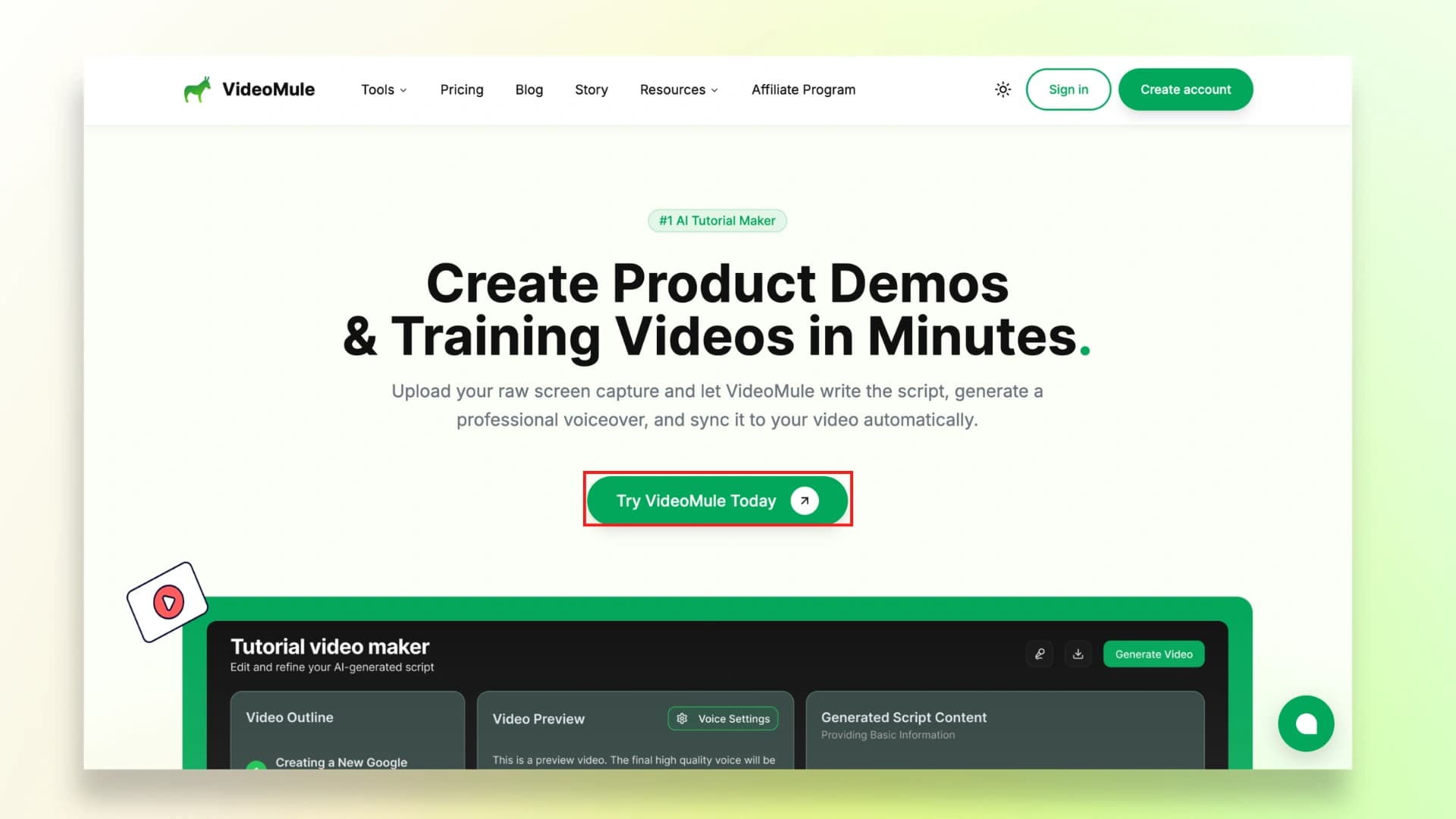
Step 1: First, go to Videomule’s website and click on “Try Videomule Today.”
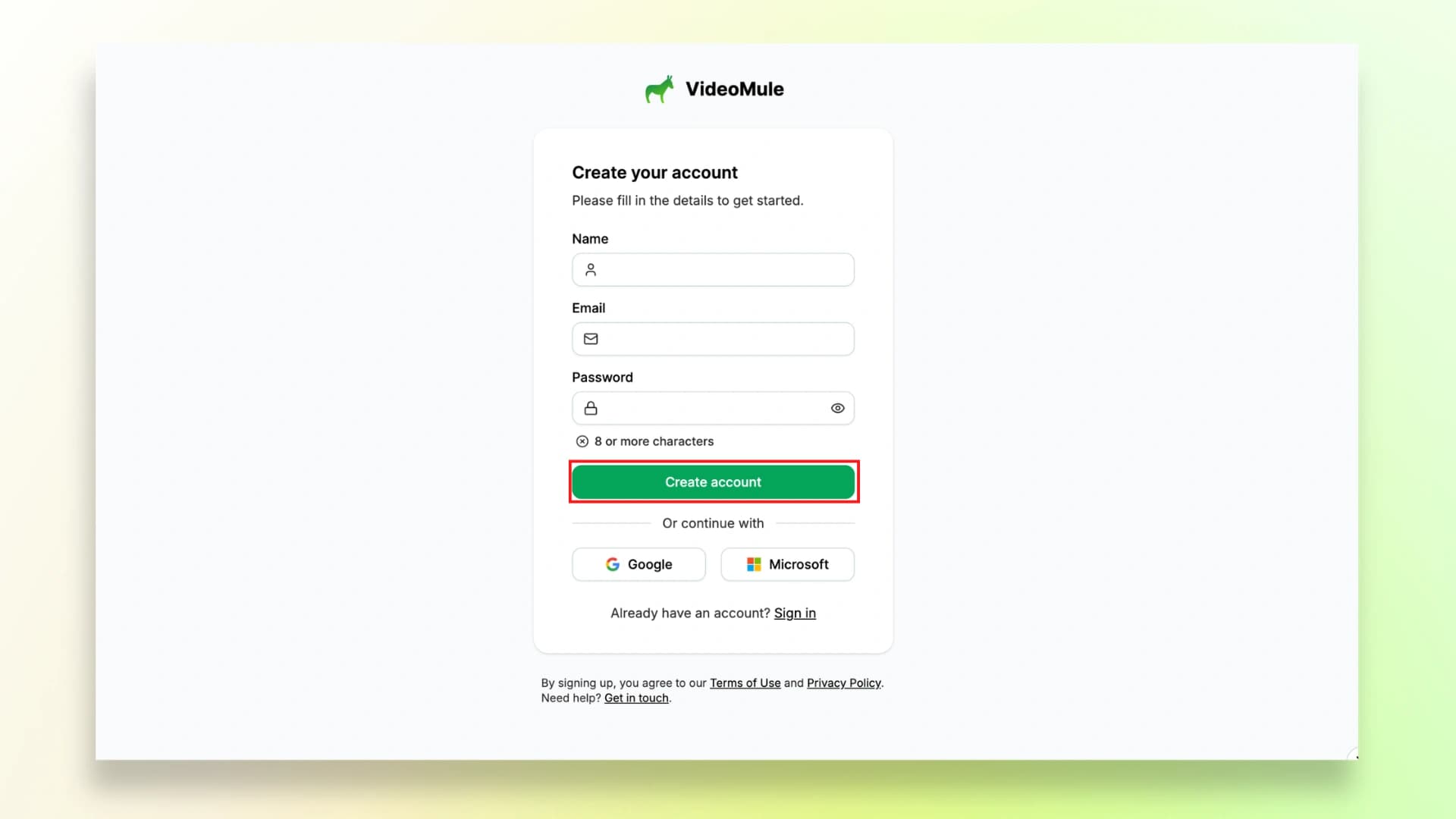
Step 2: You can either sign up with your Google account or add your email to create an account on Videomule
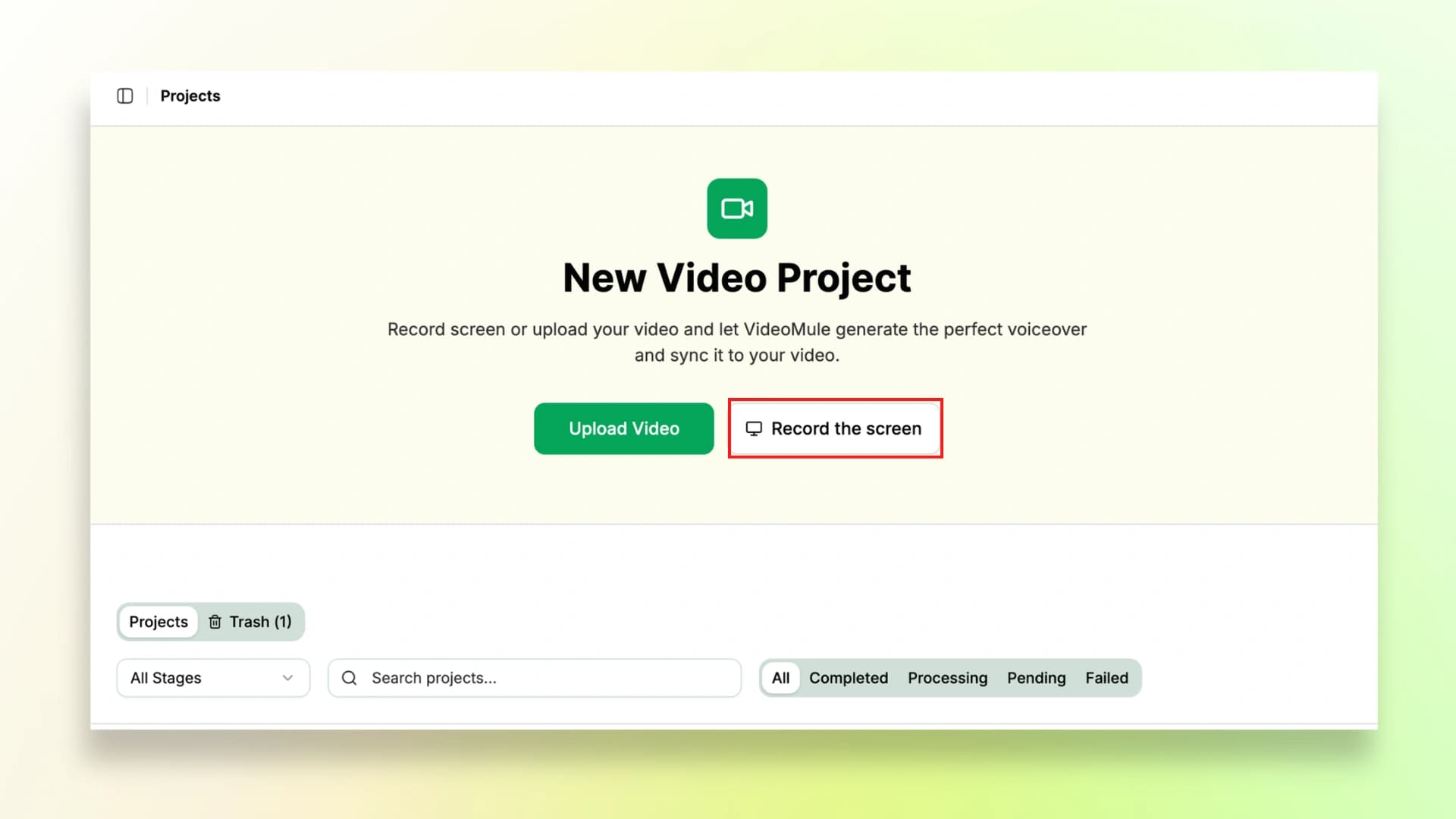
Step 3: After creating your account, click on Record the Screen. If you already have a screen recording, then simply click on Upload video and upload it.
If you’re new to screen recording, you can follow this step-by-step guide on how to make a tutorial video by recording your screen.
Stage 3 – Turn Your Recording into a Complete Onboarding Video with Videomule AI
Now that your screen recording is ready, the next step is to turn it into a complete onboarding video using VideoMule.
Step 4: Once you are done with screen recording, preview the video. Next, add a suitable title to your video.
This is an important step as the title helps the AI understand the context of your recording.
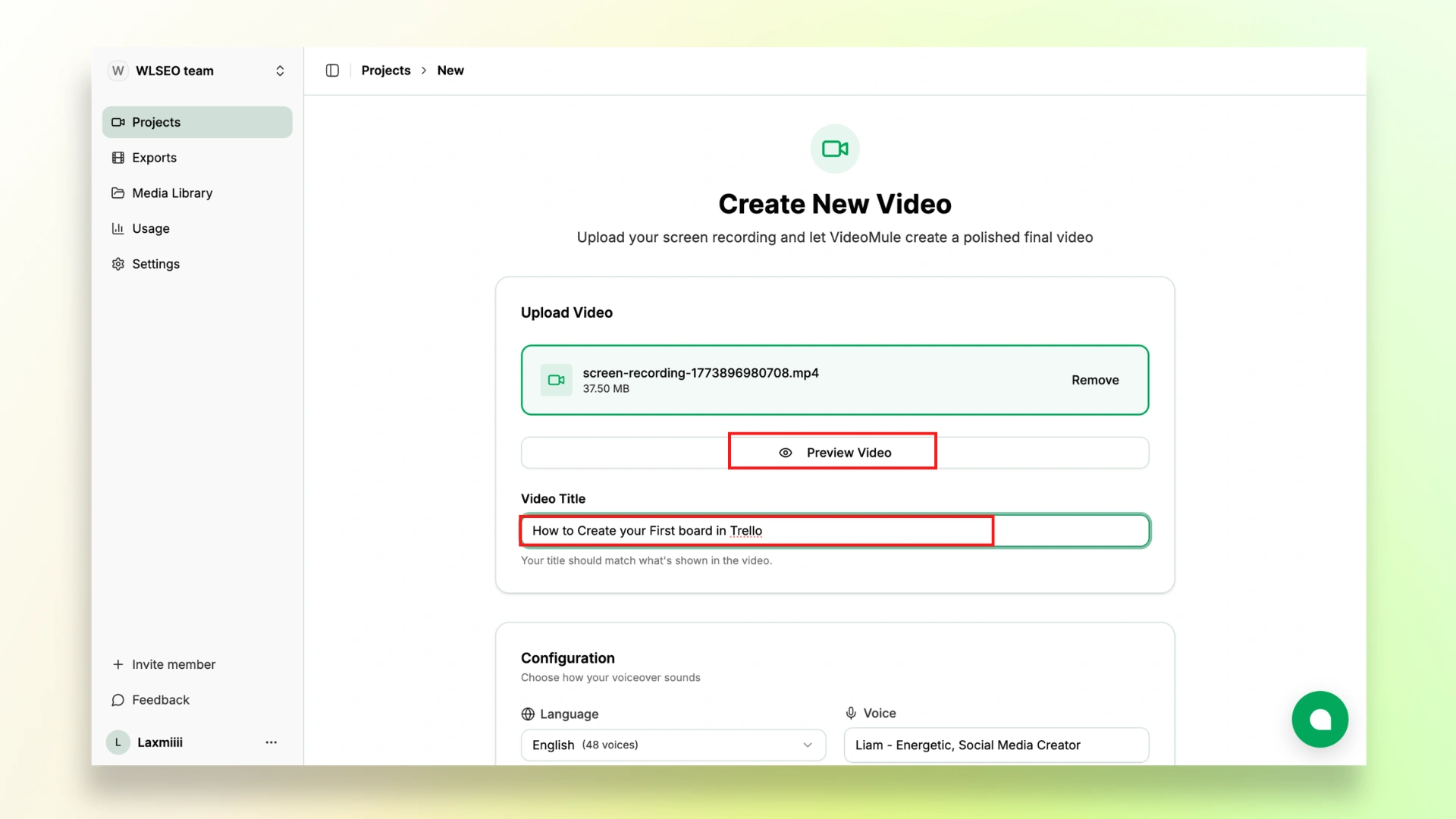
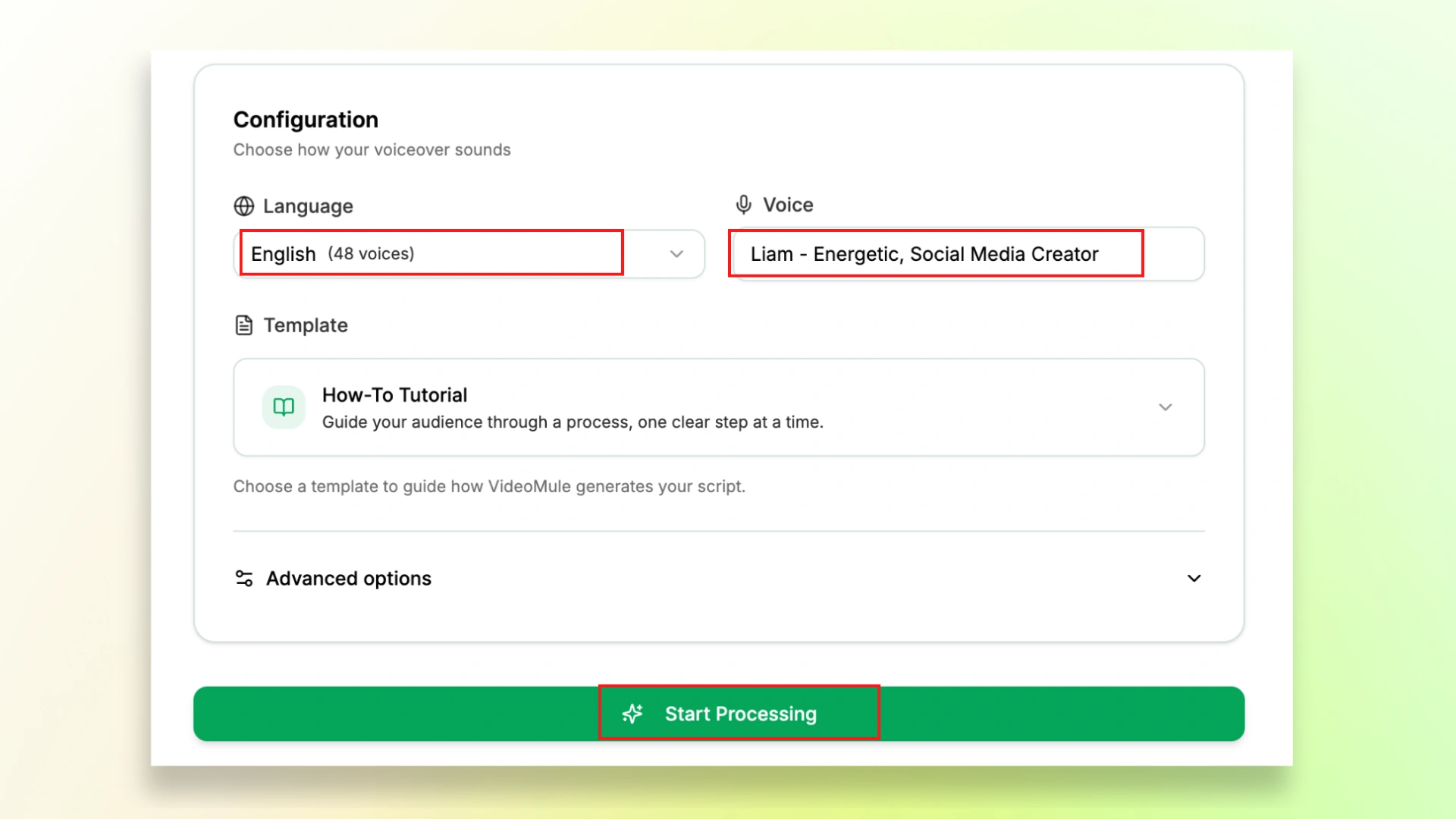
Step 5: Next, you can choose your preferred language and the voice that you want in your video. Videomule offers you tons of options to choose from.
Next, click on Start Processing. VideoMule will generate a script, subtitles, and structure based on your recording.
Stuck writing scripts or recording voiceovers? Upload your screen recording and VideoMule will generate both instantly. 100+ voices, 70+ languages. See how it works.
Stage 4 – Add SaaS-Specific Polish
Now that your video is generated, the next step is to refine and improve it.
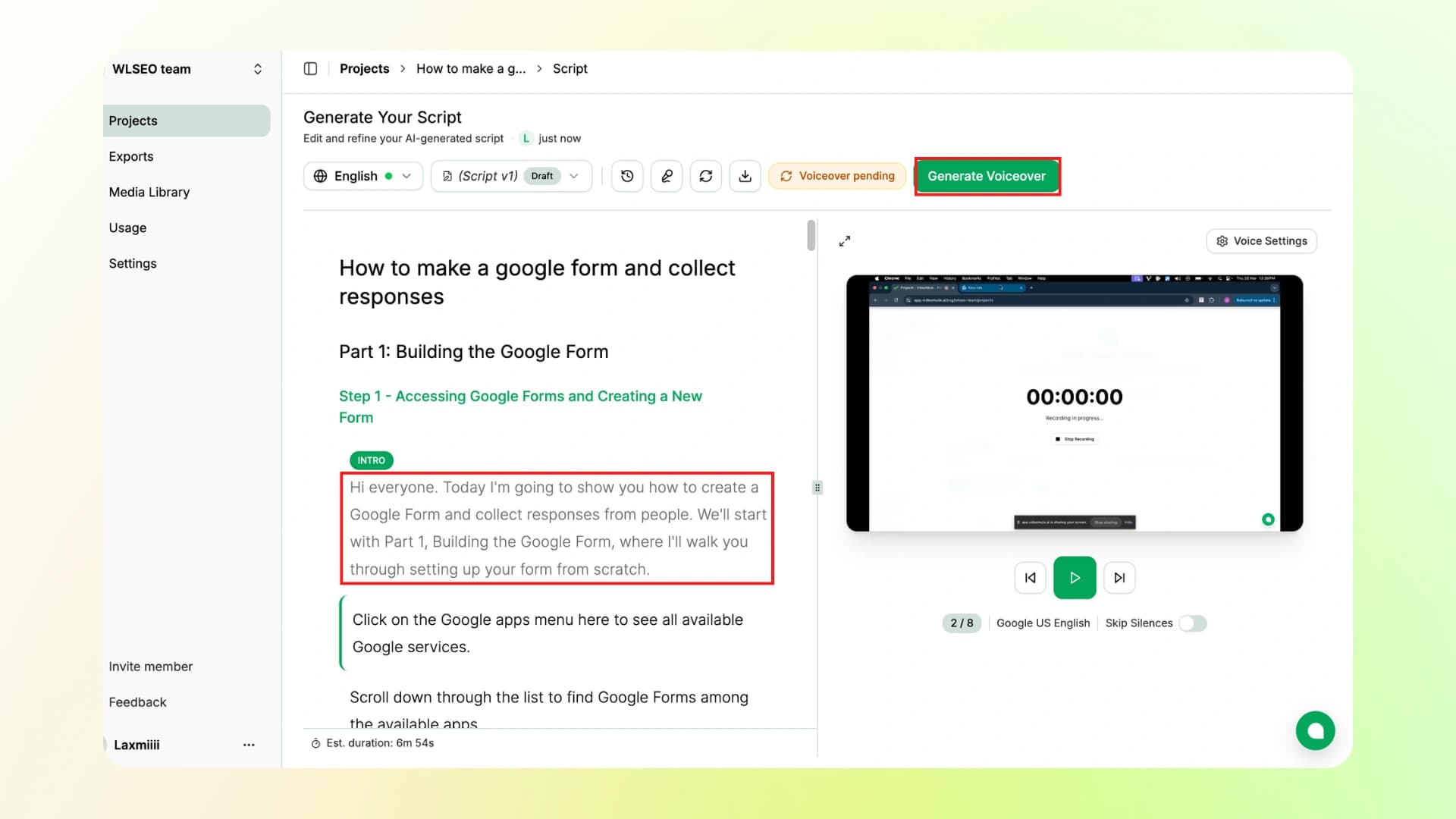
Step 6: Here, you can edit the script lines, and once done, you can even download the final script for future reference. Then click on Generate Voiceover.
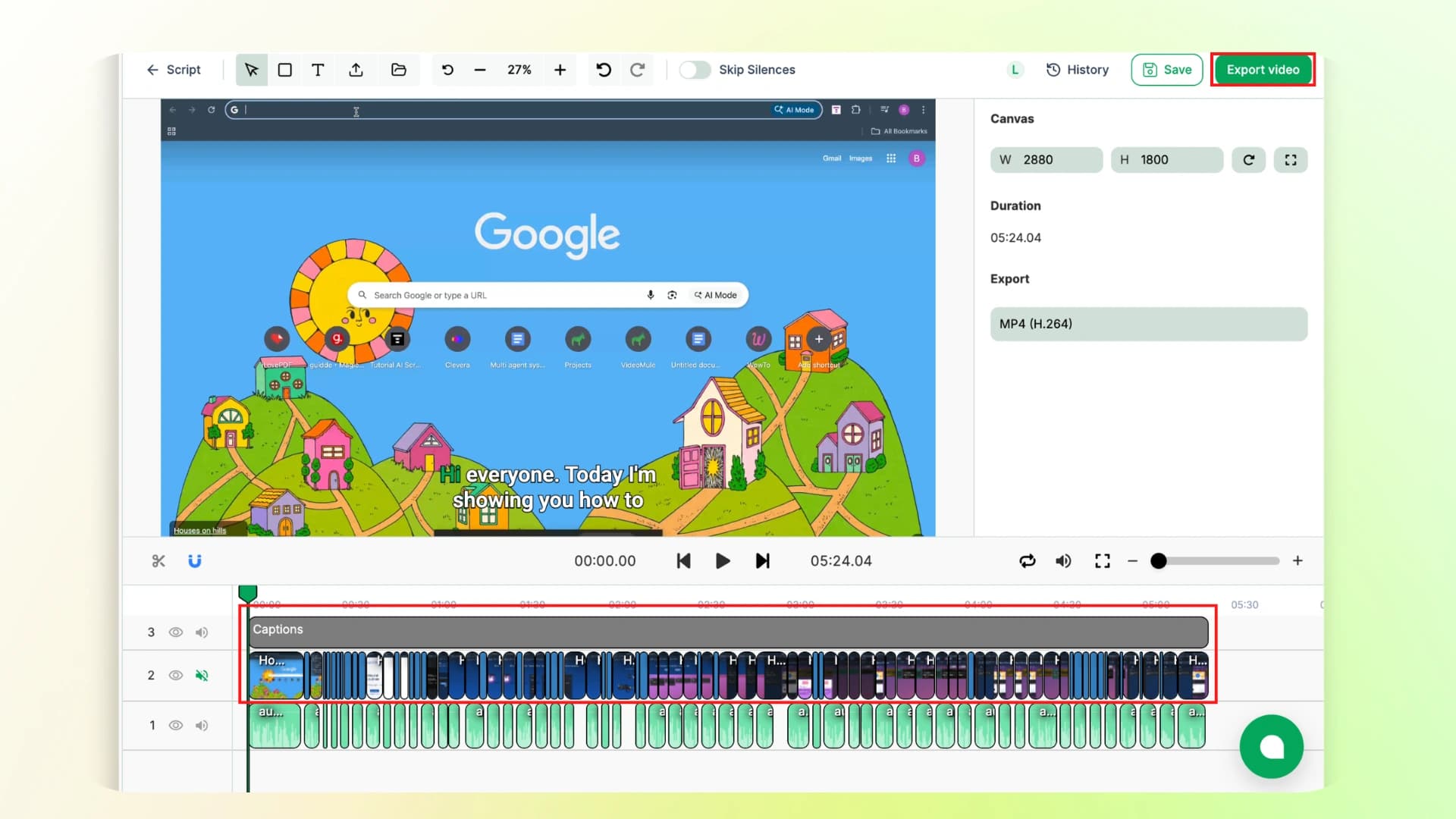
Step 7: After generating the voiceover, you can edit your video by adjusting timelines, changing the font colours of subtitles, and much more.
Once you are happy with it, just click on Export video and download it.
Here's the final output of the video:
You can also explore how to create a product demo video for similar use cases.
Stage 5 – Deliver Videos at the Right Time
Now that your onboarding video is ready, the next step is to share it with your users.
You can show the video at key moments, like right after signup, inside your app, or through email.
You can also automate this using tools like Zapier or HubSpot, so the video is sent automatically when a user signs up.
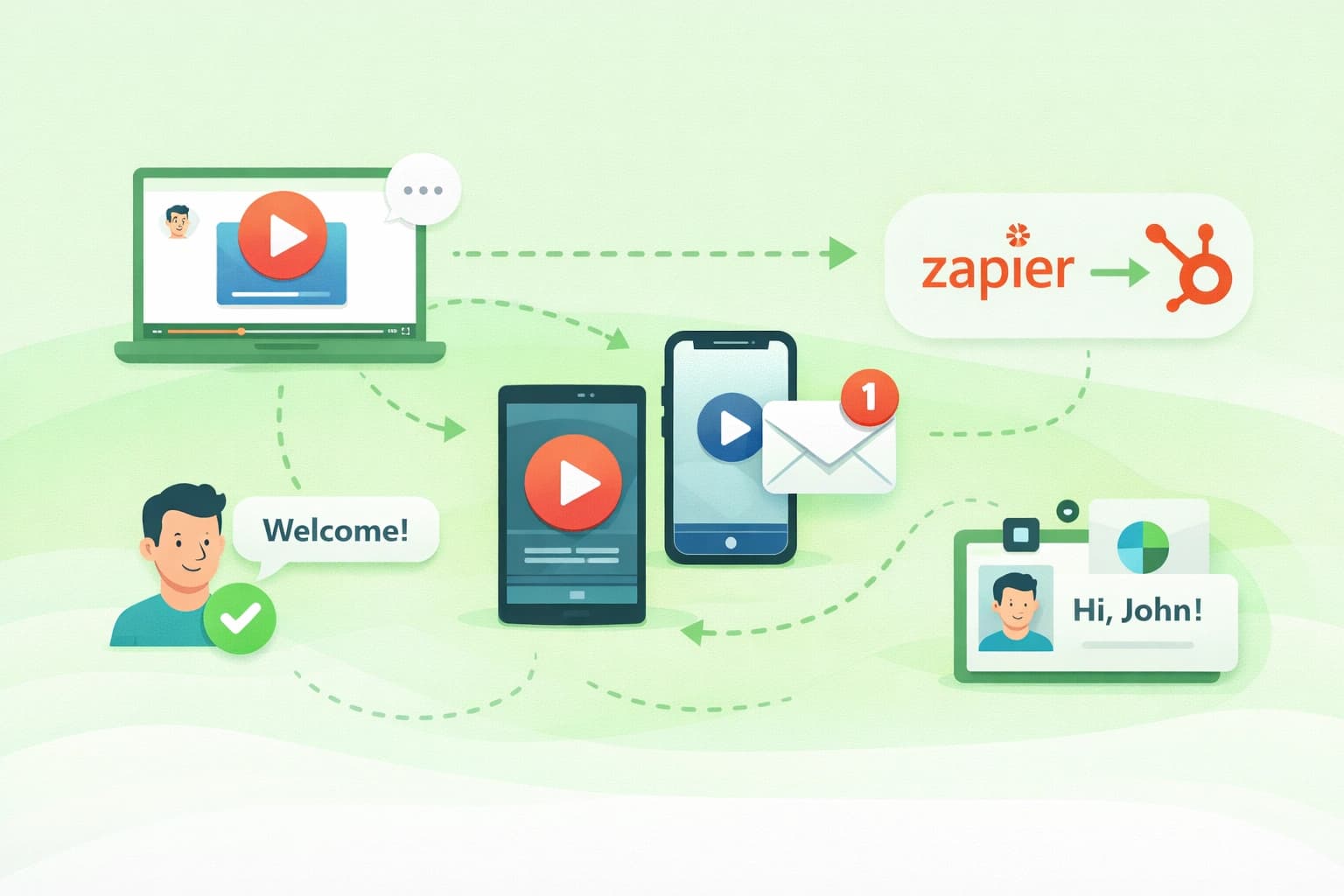
If you also plan to share your onboarding videos on platforms like YouTube, you can follow this guide on how to make a tutorial video on YouTube.
Stage 6 – Measure and Improve Your Onboarding Videos
Once your video is live, check how it is performing.
See how many users watch and complete the video, and whether they take action after watching.
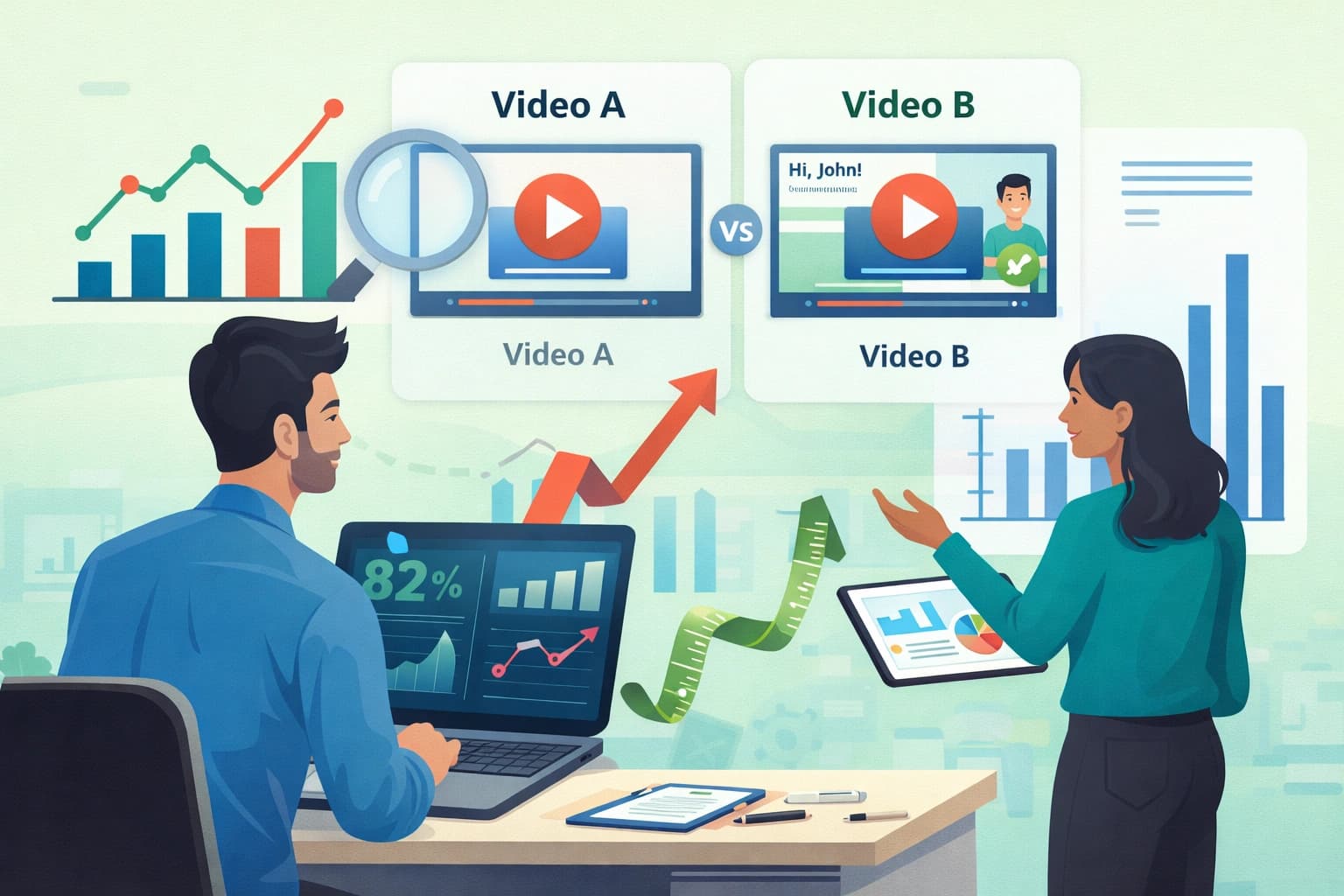
You can also test different versions of your video to see what works better.
Over time, improve your videos and create more for different onboarding steps.
As you scale, you can also create structured learning content. Here’s how to create a video training course.
VideoMule vs Other Onboarding Video Tools
There are many tools available to create onboarding videos, but not all of them offer the same level of ease and automation.
If you’re looking for a faster and more complete solution, it’s important to understand how VideoMule compares with other popular tools.
Here’s a quick comparison to help you choose the right one:
| Feature | VideoMule | Vidyard | Guidde | Loom |
|---|---|---|---|---|
| AI Voiceover (No Mic Needed) | ✅ Fully automated | ❌ Not available | ⚠️ Limited | ❌ Not available |
| SaaS Personalization | ✅ Advanced (dynamic & scalable) | ⚠️ Basic | ⚠️ Template-based | ❌ Not available |
| Script Generation | ✅ Auto-generated by AI | ❌ Manual | ⚠️ Partial | ❌ Manual |
| Editing Effort | ✅ Minimal (AI handles most) | ⚠️ Moderate | ⚠️ Some manual work | ❌ Fully manual |
| Speed (Raw → Final Video) | ~3 minutes | ~30 minutes | ~5–10 minutes | Fully manual |
| Ease of Use (Beginner-Friendly) | Easiest | Moderate | Learning curve | Easy (recording only) |
| Best Use Case | Onboarding videos, product demos, tutorial videos, training videos, help/support videos | Sales & marketing videos | Quick how-to guides | Simple screen recordings |
| Starting Price | Free plan available | Enterprise pricing | Paid plans | Free basic plan |
If you're exploring tools, here’s a list of the best video tutorial software to get started.
Turn Your Onboarding Into a Growth Engine
Now you know how to create customer onboarding videos step by step, from planning to improving them.
Instead of long guides, videos help users understand your product faster and get started quickly.
Following simple video onboarding best practices, like keeping videos short, clear, and focused, makes your video shine like a star.
And with VideoMule, you don’t need to worry about scripts, voiceovers, or editing. You can create complete onboarding videos in minutes and scale easily.
The result: Faster user activation, better retention, and up to 34% faster time-to-value.
Your first 72 hours decide if users stay or churn. Create professional onboarding videos with VideoMule in minutes — just upload your recording. Start your 7-day free trial — card required, cancel anytime.
FAQs on Customer Onboarding Videos
1. What are the 5 C’s of onboarding?
The 5 C’s of onboarding are Compliance, Clarification, Culture, Connection, and Checkback.
2. What are onboarding videos?
Onboarding videos are short videos that help new users understand how to use a product or service. They guide users step by step and make getting started easier.
3. What are the 5 stages of the onboarding process?
The stages include sign up, first interaction, learning features, first success, and regular usage.
4. How long should an onboarding video be?
Keep it short, ideally under 60 to 90 seconds. Short videos are easier to watch and understand.
5. Can you create videos without a voiceover?
Yes, you can. Tools like VideoMule can automatically generate AI voiceovers, so you don’t need to record your own.
6. How do onboarding videos reduce churn?
Onboarding videos help users understand the product faster. When users see value quickly, they are more likely to stay and continue using it.
Keep reading
AI Training Videos
Turn silent screen recordings into narrated training videos — AI script, voiceover and captions.