How to Create a SOP Video for Your Team
Learn how to create SOP videos for your team step by step. Discover AI tools that eliminate the need for a mic, script, or studio setup.
You explain the same process again… and again… and again.
A new hire joins, and suddenly you're back on another call. Walking them through the exact same steps you already explained last week.
And even after writing a detailed SOP document, most people don't read it. They still come back with questions.
So you try to see how to create a SOP video.
Now you have to deal with noise, bad voiceovers and editing. It still does not look professional.
Also when your tool or way of working changes the video is not useful anymore.
The good news? Creating SOP videos is much easier now. You don't need a mic, script, or editing skills.
Just record your screen or upload your video, and AI will turn it into a clean, professional video automatically.
In this guide, you'll learn how to create a SOP video step by step, so you can create SOP training videos that your team happily follows.
Turn any screen recording into a polished SOP video with AI script, voiceover, and captions. Start creating videos now.
What is a Video SOP?
A video SOP (Standard Operating Procedure) is a simple step-by-step video that shows how to complete a task.
So, your team can watch the process on their screen that have actions and explanations. To put into points, your team needs a video SOP because:
- Shows exactly what to do and how to do it
- Uses screen recordings, voice, and visual cues
- Easy to follow, even for new team members
This makes it a perfect SOP video for employees, especially for teams that need clear and repeatable processes.
Video SOPs Vs Training Videos
Apart from SOP videos, there's another type of video called training videos and many people think they are the same. But they're not.
And here's the simple difference:
- Training videos → explain concepts, ideas, or features in detail
- Video SOPs → show exactly how to complete one specific task step by step
That's why SOP videos are usually:
- Short and to the point
- Focused on one task at a time
- Easy to follow and repeat anytime
In case you want to learn more about creating training videos, you can read our latest blog on 10 Best Training Video Software with AI Voiceovers.
How to Create an SOP Video for Your Team Using VideoMule
Part 1: Choose the Process to Document
Start by picking a task that you explain again and again or something your team finds confusing. This is the first step in any step by step SOP video creation.
This could be a simple workflow like onboarding a new employee, entering data in a CRM, or handling customer requests.
Keep one thing in mind: one SOP should cover only one task. Don't try to include everything in a single video.
If the process is long, you can always break it into smaller, easy-to-follow videos.
Part 2: Define Scope and Audience
Next, think about who this video is for. Is it for new hires, a specific team, or everyone in your company?
Then, decide what the final outcome should be.
In simple terms, what should someone be able to do after watching the video?
A good way to think about it is: after watching this, the person should be able to complete the task on their own.
This step helps you create a more effective SOP video for onboarding and daily team tasks.
For creating learning content, check out this guide on how to make educational videos.
Part 3: Record or Upload Your Raw Process
Now, it's time to create your onboarding video.
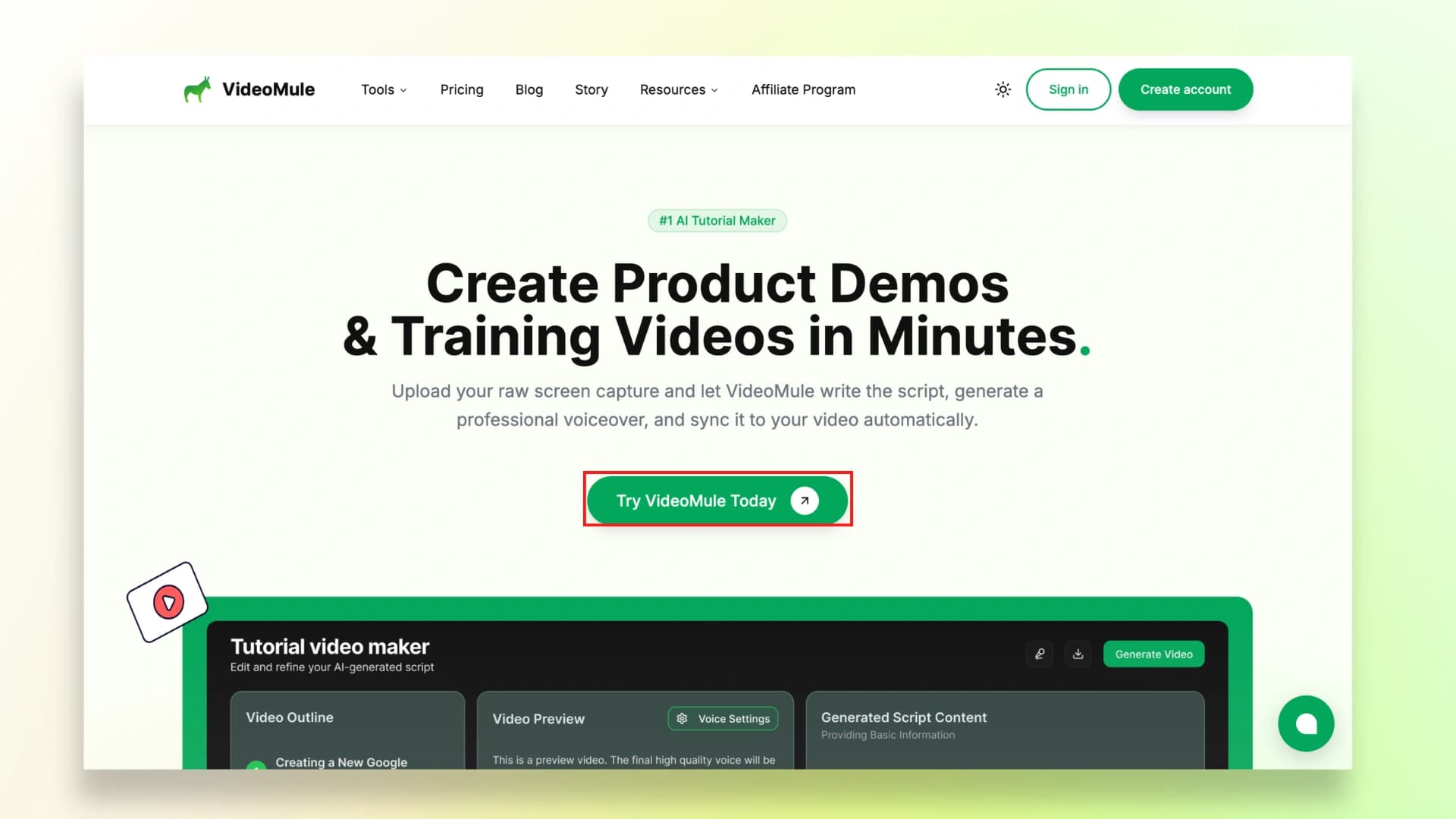
Step 1: First, go to VideoMule's website and click on "Try VideoMule Today."
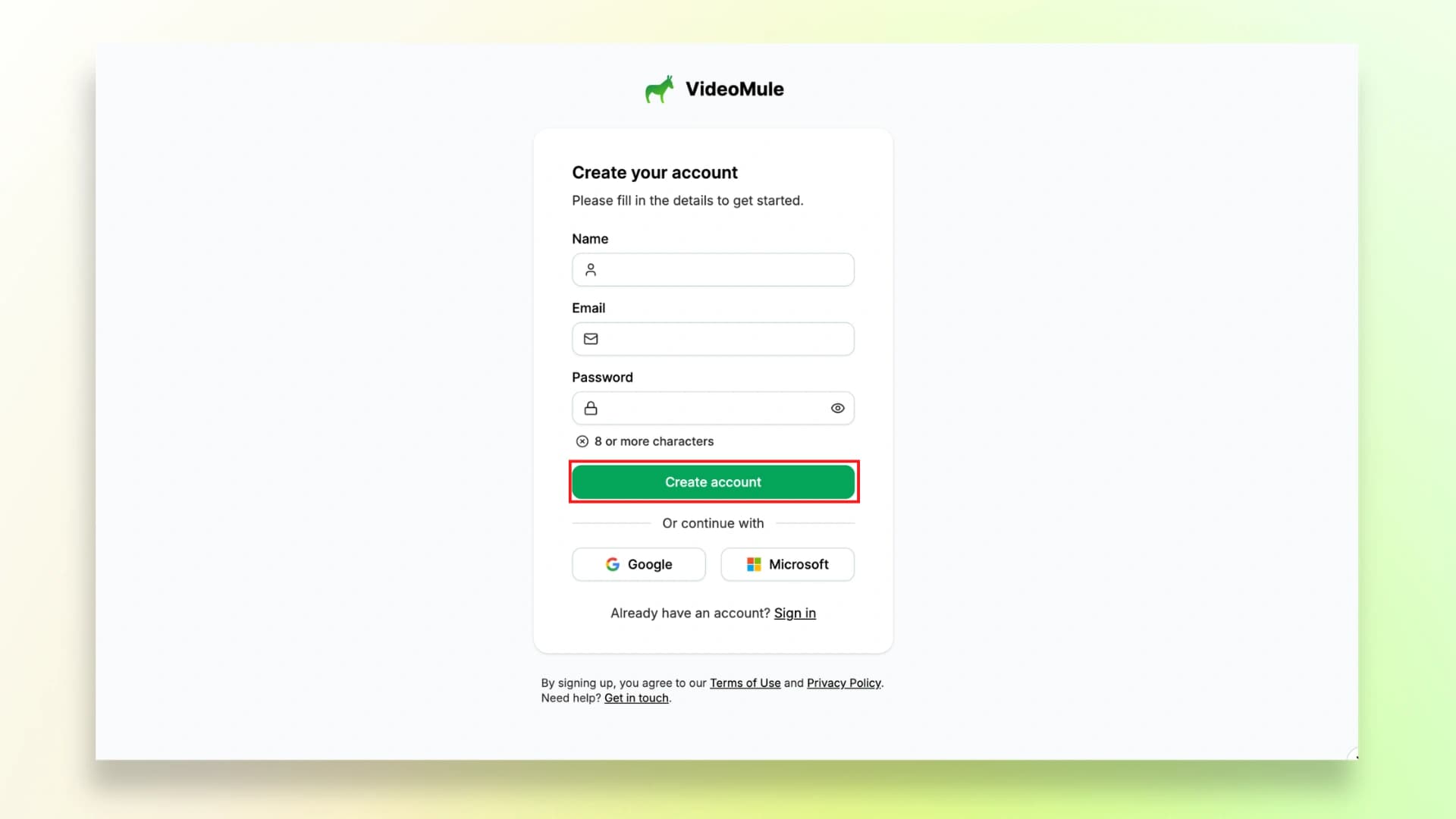
Step 2: You can sign up using your Google account or simply enter your email to create your VideoMule account.
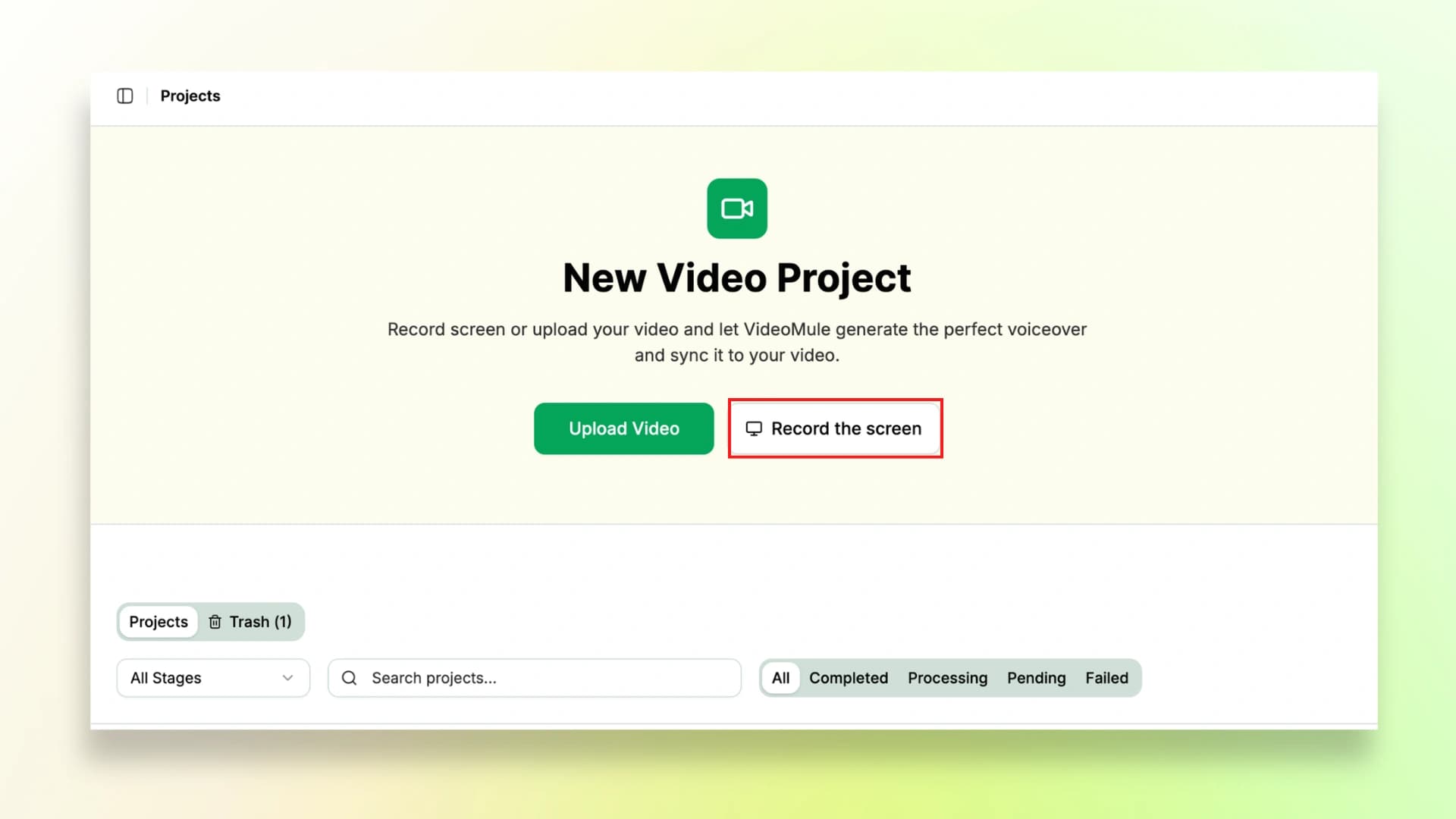
Step 3: Once your account is ready, click on Record Screen to start recording. If you already have a recording, just click on Upload Video and add your file.
This is where your raw recording becomes a SOP process video that your team can follow smoothly.
Part 4: Let VideoMule Generate the AI Script & Voiceover
Now that your screen recording is ready, the next step is to turn it into a complete onboarding video using VideoMule.
Step 4: After recording, preview your video and give it a suitable title. This is important because the title helps the AI understand the context of your recording.
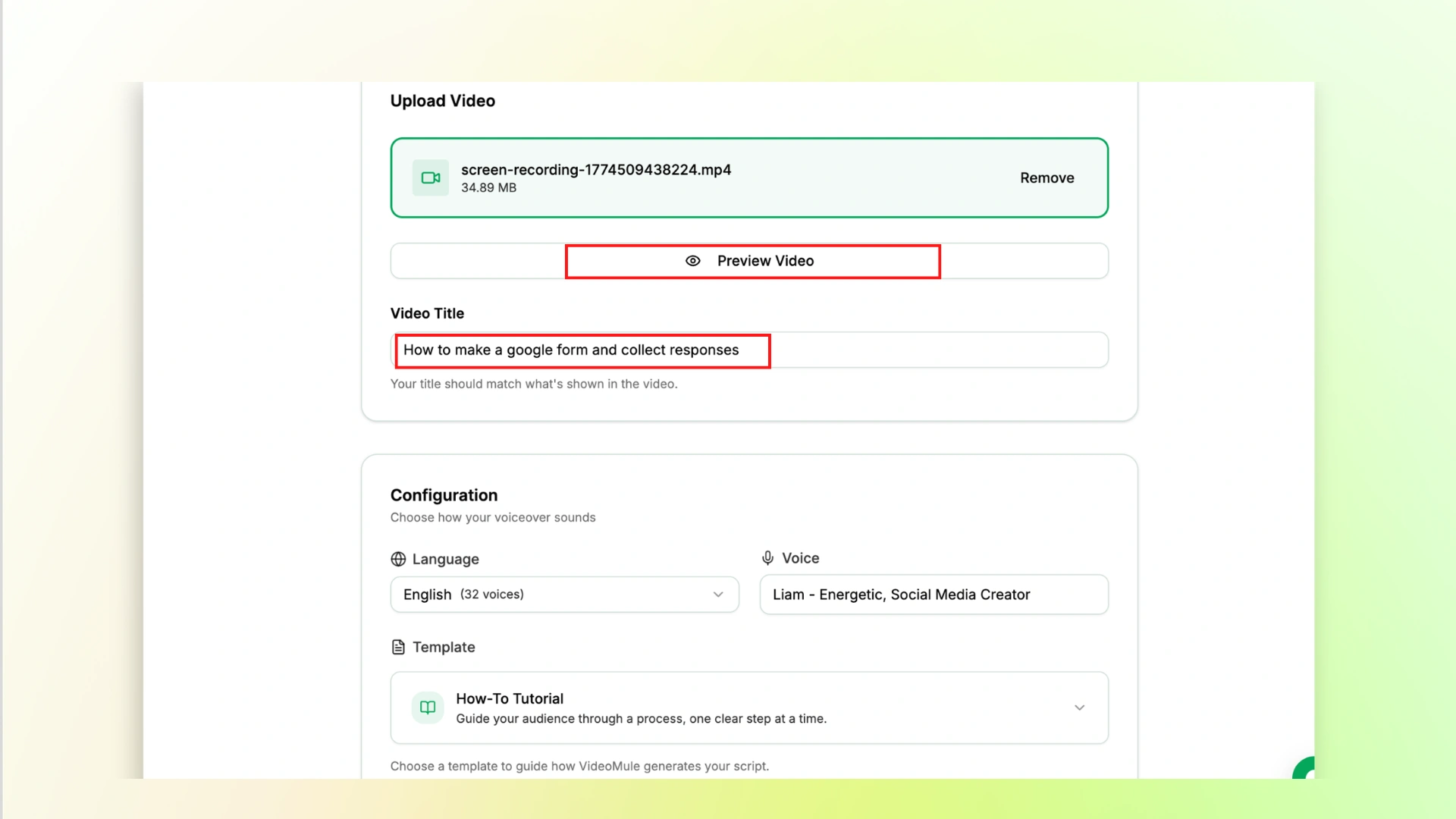
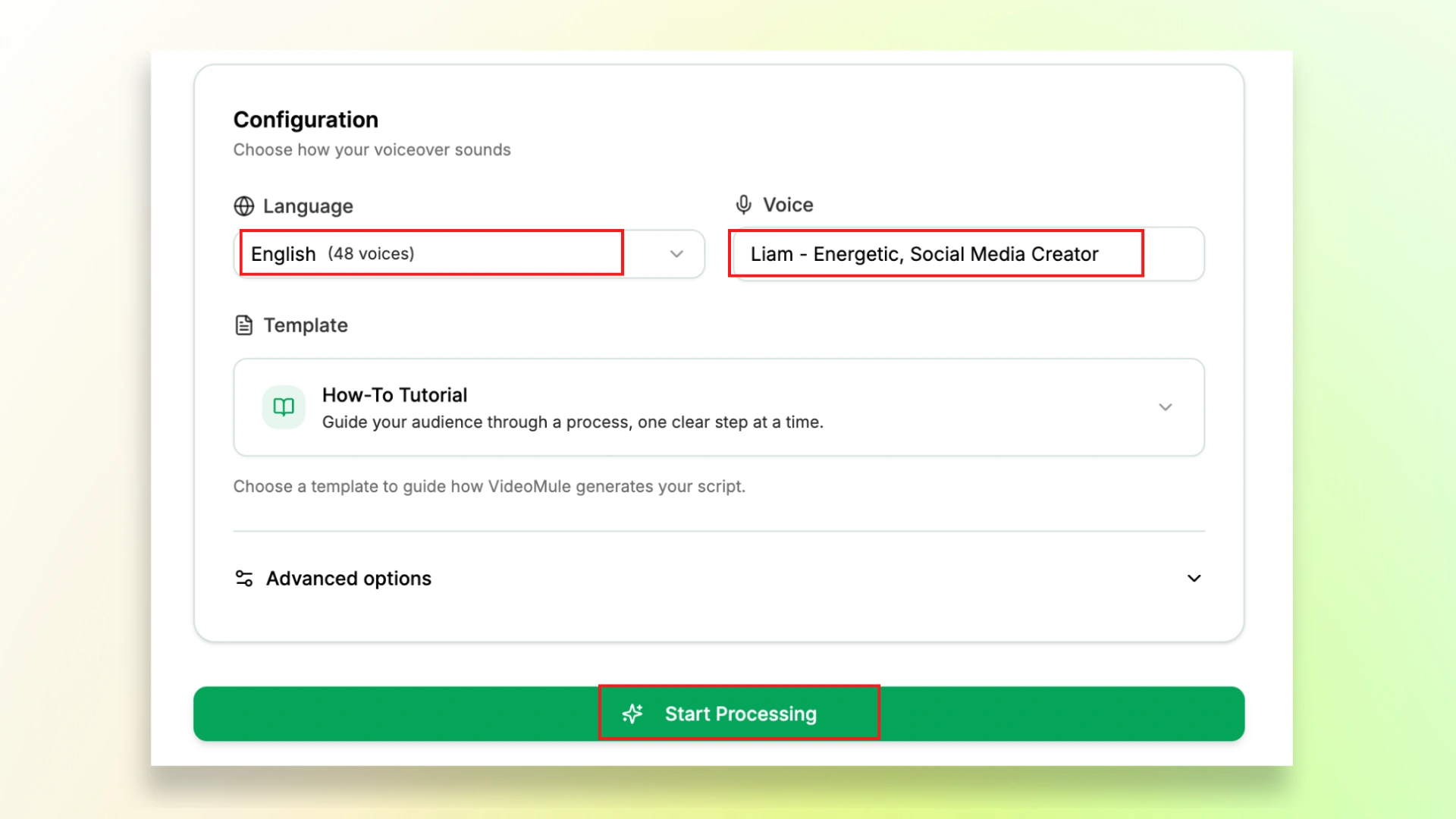
Step 5: Next, choose your preferred language and voice for the video.
This is what makes VideoMule a powerful SOP training video software, as it includes 100+ natural-sounding voices, support for 70+ languages, and even voice cloning if you want to use your own voice.
Once you're done, click on Start Processing.
Want to go beyond SOP videos? You can also learn how to make a tutorial video by recording your screen.
Part 5: Add Visual Cues and Captions
Once your video is generated, the next step is to refine and improve it.
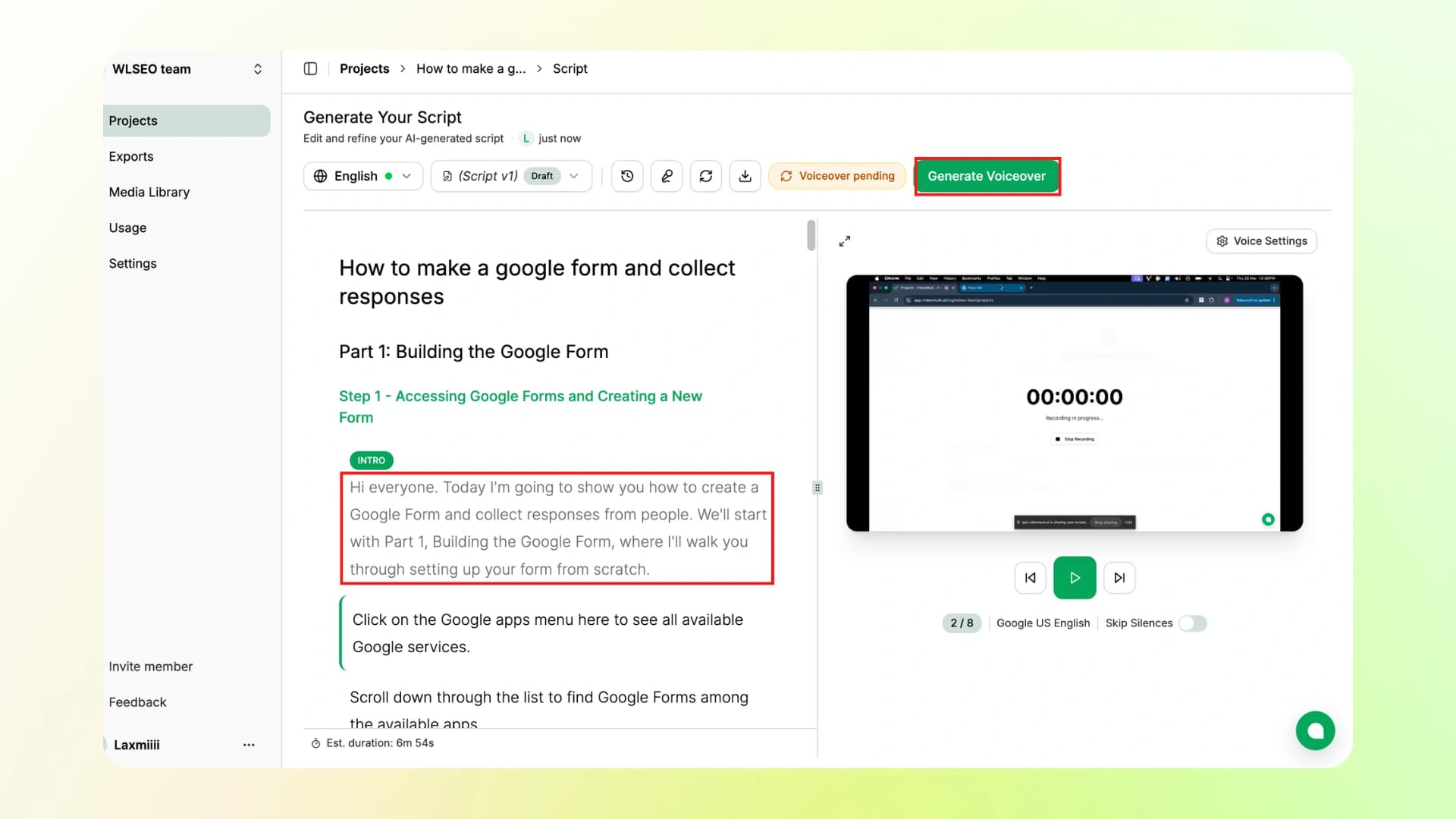
Step 6: You can edit the script lines as needed, and even download the final script for future use.
After that, click on Generate Voiceover.
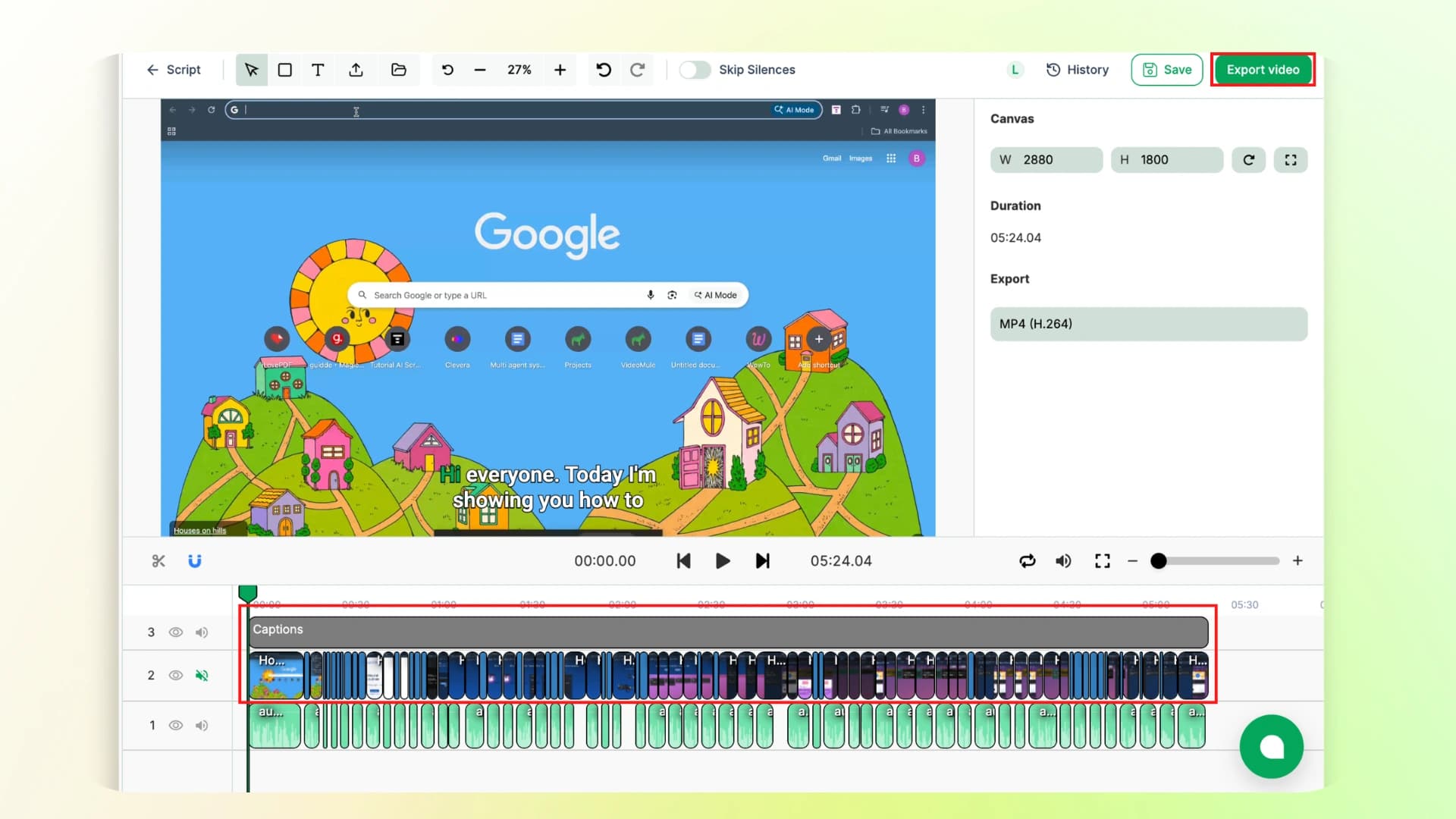
Step 7: After the voiceover is ready, you can make final edits to your video by adjusting timings, changing subtitle styles, and more.
Once you're happy with everything, just click on Export Video to download your final SOP video.
Here's the final video:
Part 6: Host and Share Your SOP
Once your SOP video is ready, upload it to the tools your team already uses like Notion, Confluence, SharePoint, or shared drives.
You can share it through email, Slack, or onboarding portals so your team can access it anytime.
Adding timestamps or clear sections also helps people quickly find the exact step they need.
Planning to publish your videos online? Here's a simple guide on how to make a tutorial video on YouTube.
Best Practices for SOP Videos
Now you know how to create SOP training videos, but following a few things is necessary to continue producing effective results overtime.
I've gathered the following best practices that you can follow for creating SOP videos.
- Focus on one task per video
- Keep videos short (2–4 minutes works best)
- Make it easy to access while doing the task
- Test with a new person to check clarity
- Don't wait for perfection. Getting started is the key.
- Keep length around 2–8 minutes max
Common SOP Video Mistakes to Avoid
Mistakes are part and parcel of our life, but the good part is you can avoid most of them if you know what to look for.
So I've made a quick checklist of common mistakes people make while creating SOP videos, so you can avoid them and create better ones:
- Making long 30–45 minute videos
- Recording with poor or noisy audio
- Not adding captions
- Not explaining the "why" behind steps
- Not updating videos when things change
- Storing videos where no one can find them easily
Make Your SOPs Simple, Clear, and Scalable
Now you know how to create a SOP video step by step, from choosing the process to sharing and updating it.
The full flow is simple: choose a task, define your audience, record or upload your process, let AI generate the script and voice, add visuals, polish the video, share it, and keep it updated.
And honestly, this is where VideoMule makes things really simple. You don't have to worry about writing scripts or recording voiceovers.
Just record your screen, and it turns it into a clean, ready-to-use SOP video in minutes.
So, now is the time for you to create SOP training videos for your team, create it once and use it again and again.
FAQs On SOP Videos
1. What is a SOP video?
A SOP video is a step-by-step video that shows how to complete a task. It helps your team follow the exact process without confusion.
2. What are the 5 parts of an SOP?
The main parts usually include: purpose, scope, steps to follow, roles/responsibilities, and expected outcome.
3. What is a SOP checklist?
A SOP checklist is a simple list of steps that ensures a task is done correctly every time.
4. How do I start my SOP?
Start by choosing one task you want to document. Then clearly define the goal, what someone should be able to do after following it.
5. What is the best format for a SOP?
The best format is simple and easy to follow. Video SOPs work best because they show both steps and actions clearly.
6. How long should a video SOP be?
Keep it short, ideally between 2 to 8 minutes, focusing on one task at a time.
7. Do I need a microphone to create an SOP video?
No. With AI tools like VideoMule, you can generate voiceovers automatically without using a mic.
8. What software is used to create SOP videos?
You can use tools like VideoMule, Loom, or other screen recording and AI video tools to create SOP videos easily.
Keep reading
AI Training Videos
Turn silent screen recordings into narrated training videos — AI script, voiceover and captions.