7 Best Trupeer Alternatives for SaaS Product Demo Videos
Compare the 7 best Trupeer alternatives for SaaS product demo videos, including AI tools for screen recordings, walkthroughs, and voice-free demos.
A “2-minute product demo” somehow turning into a 2-hour recording session is a very real SaaS founder experience.
That’s honestly the biggest reason people start looking for the Best Trupeer Alternatives.
Trupeer is good at turning rough recordings into polished demos. But for a lot of people, the problem is having to record the voiceover in the first place.
That’s why more teams are now exploring Trupeer competitors and other tools like Trupeer that make the workflow faster and less exhausting.
Instead of recording narration first and fixing it later, newer AI product demo video tools are starting to generate narration directly from screen recordings.
In this guide, we’ll look at 7 of the best Trupeer alternatives for SaaS — some tools enhance your voice recordings, while others eliminate the need for voice recording.
From silent demo creation and AI avatars to customer education and enterprise training, there’s now a tool built for almost every workflow. Videomule has it all. Check out Videomule now.
What Is Trupeer — And Why Are Users Looking for Alternatives?
At first glance, Trupeer feels like a pretty smart solution for SaaS demo creation. You install the Chrome extension, record your screen while explaining the product, and the AI cleans everything up afterward.
For teams that already enjoy recording walkthroughs with their own voice, that workflow works well.
But at some point, friction starts showing up for many SaaS teams.
Trupeer still assumes one thing: you’re going to speak while recording.
There could be many reasons, like
- Maybe English isn’t your first language
- Maybe your room is noisy
- Maybe you don’t like hearing your own voice
- Maybe you just don’t want to re-record the same sentence five times because the cursor moved too early.
Another common complaint is flexibility.
Since Trupeer is mainly browser-based and built around a Chrome extension workflow, some users feel limited when they want deeper editing control or desktop-level workflows.
Pricing is another factor people bring up frequently, especially when moving from the lower plans toward higher-tier team pricing.
So while Trupeer is still a strong product, many users are now looking for tools that offer:
- silent screen recording
- AI-generated narration
- better editing control
- multilingual voiceovers
- faster workflows without constant re-recording
If you want to create walkthroughs faster, you can also try VideoMule’s AI tutorial video maker for turning screen recordings into narrated product demos automatically.
The 7 Best Trupeer Alternatives for SaaS Product Demo Videos
1. VideoMule — Best for Creating Professional Demos Without a Microphone
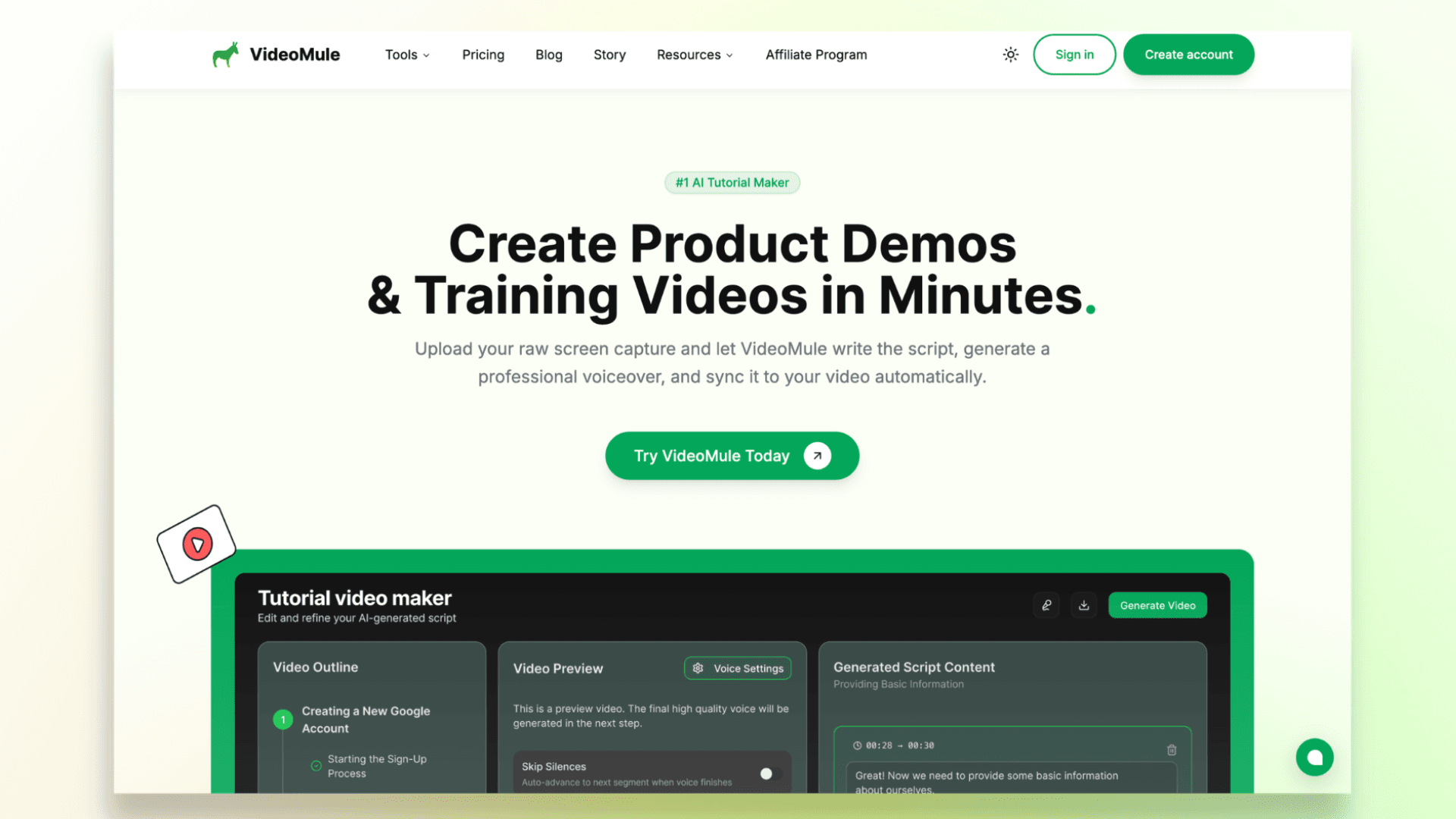
One of the biggest reasons people start looking beyond Trupeer is simple: they don’t actually want to record their voice while making demos.
This is where VideoMule feels refreshing.
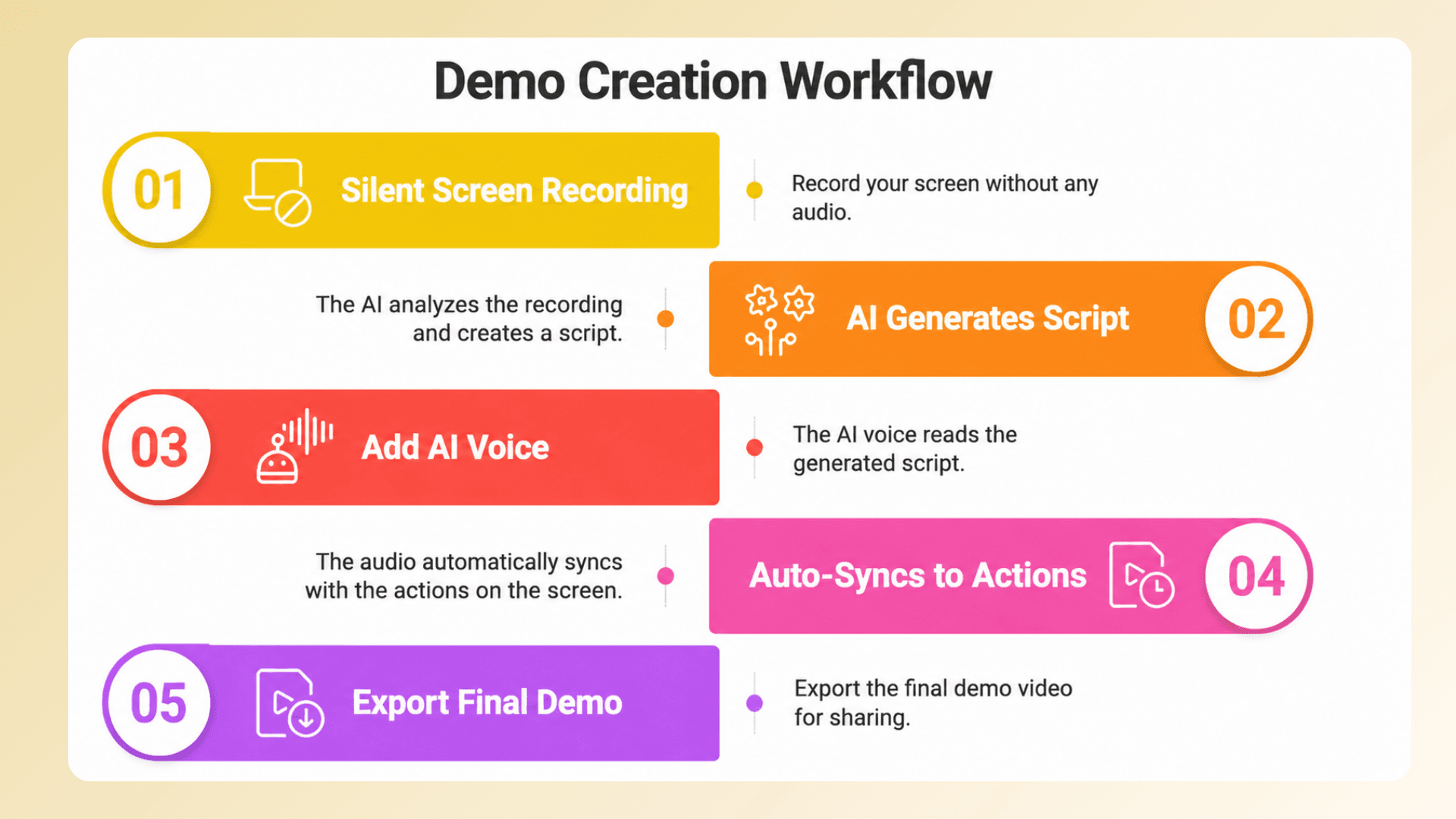
Instead of asking you to explain everything live while recording, VideoMule lets you record your product silently.
It follows the workflow below:
Some of the biggest advantages include:
- No need to restart recordings because you missed a sentence
- No background noise or microphone setup issues
- No filler-word cleanup after recording
- 100+ AI voices and translation into 70+ languages — each language gets a translated script, native AI voiceover, captions, and its own render
- Helpful for non-native English speakers and global SaaS teams
- Multi-track editor for adjusting subtitles, narration, timing, and video clips separately
- Narration syncs naturally with cursor movements and on-screen actions
- AI avatars that present the intro, outro, and transitions around your demo — including custom photo avatars and digital twins trained from your own footage, with three quality tiers at 1080p
- AI-generated documentation and step-by-step guides alongside demos
- Free unlimited local renders on paid plans — export in your browser without touching your render quota
The biggest difference, though, is the approach itself.
New to creating tutorials for SaaS products? This guide on how to create training videos covers the complete workflow step by step.
2. Clueso — Best for Teams Who Need Video and Documentation
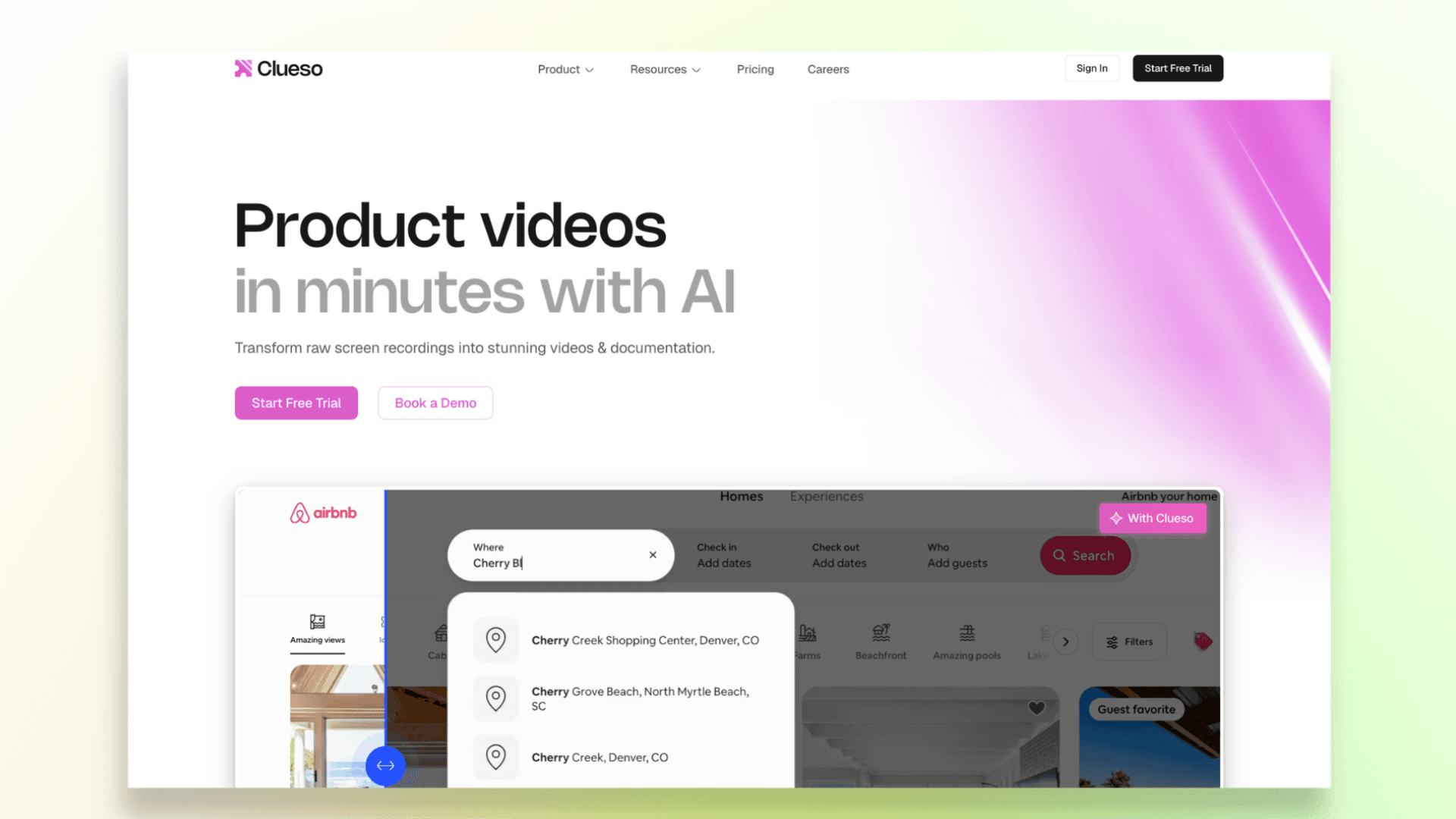
Clueso is a strong option for SaaS teams that don’t just want demo videos, but also need proper help docs and training material alongside them.
You can record your workflow once, and Clueso turns it into both a video tutorial and a step-by-step document with screenshots and instructions.
One thing teams will appreciate is the modular editing workflow. You can update specific sections or clips without redoing everything.
Some notable features include:
- AI-generated videos and documentation
- 40+ supported languages
- Translation glossary for consistent terminology
- Clip-based editing workflow
- Multiple export options
Clueso feels more team-focused than creator-focused, so it works best for companies that regularly update tutorials and product documentation.
The main downside is that the platform has a bit more of a learning curve compared to simpler tools, and pricing isn’t very transparent unless you contact sales.
3. Trainn — Best for Building a Full SaaS Customer Education Program
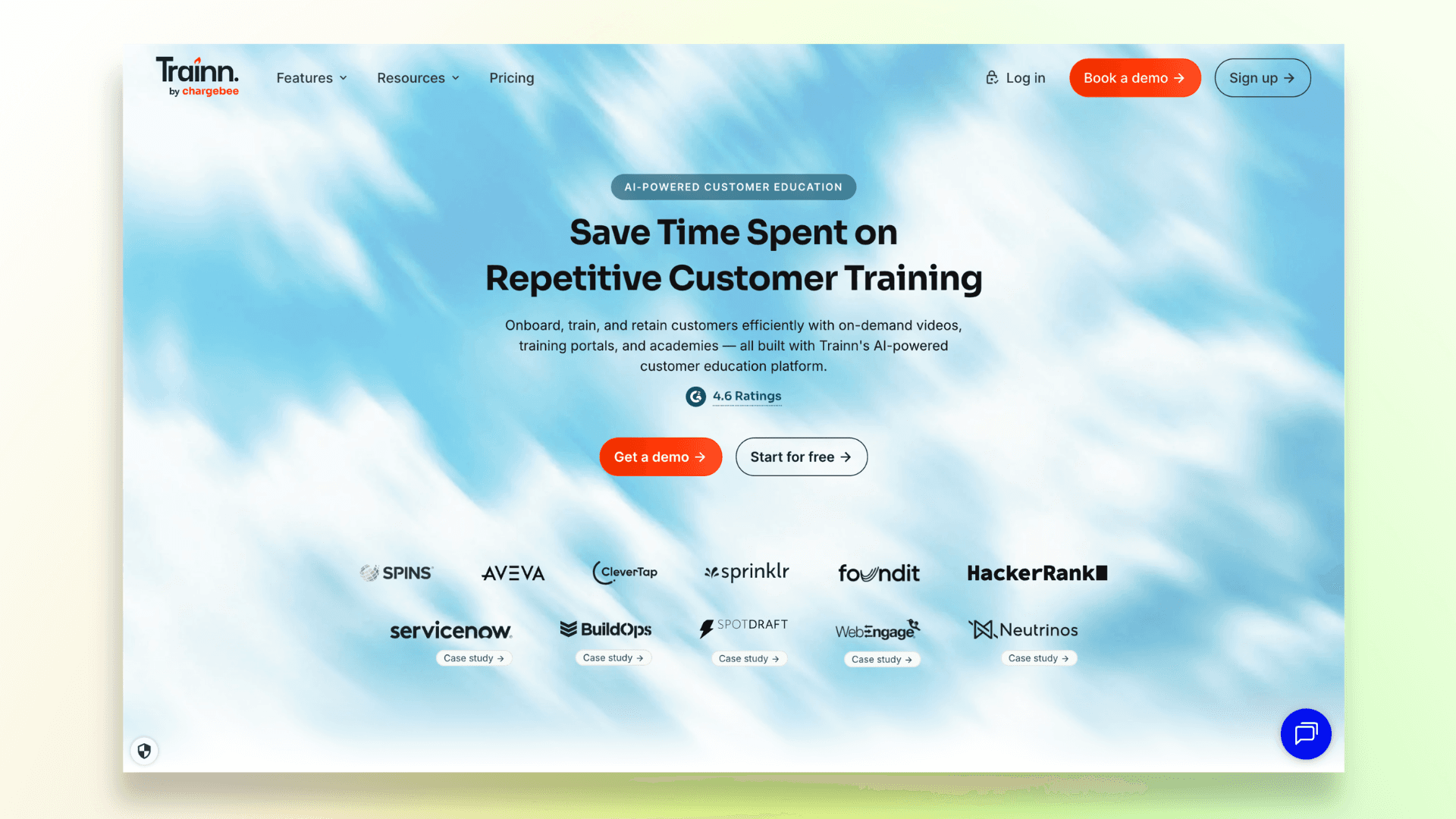
Trainn is less of a simple demo video tool and more of a complete customer education platform for SaaS companies.
Along with creating product videos, the platform also helps teams build interactive guides, onboarding flows, training courses, help centers, and customer academies from a single place.
One of Trainn’s biggest strengths is that it reduces the need for manual voice recording by using AI-generated narration and automated content workflows.
Some notable features include:
- Interactive product guides and walkthroughs
- In-video CTAs and onboarding flows
- Training courses and customer academies
- AI voiceovers and multilingual support
- Analytics and viewer tracking
Because the platform is built for larger customer education workflows, it can feel like overkill if you only need quick product demos or lightweight tutorial videos.
But for SaaS companies building structured onboarding and training systems, Trainn offers a lot more depth than most traditional demo tools.
If you're planning to build onboarding content or customer education material, this article on how to create a video training course is worth checking out.
4. Tutorial.ai — Best for Mac and Windows Power Users
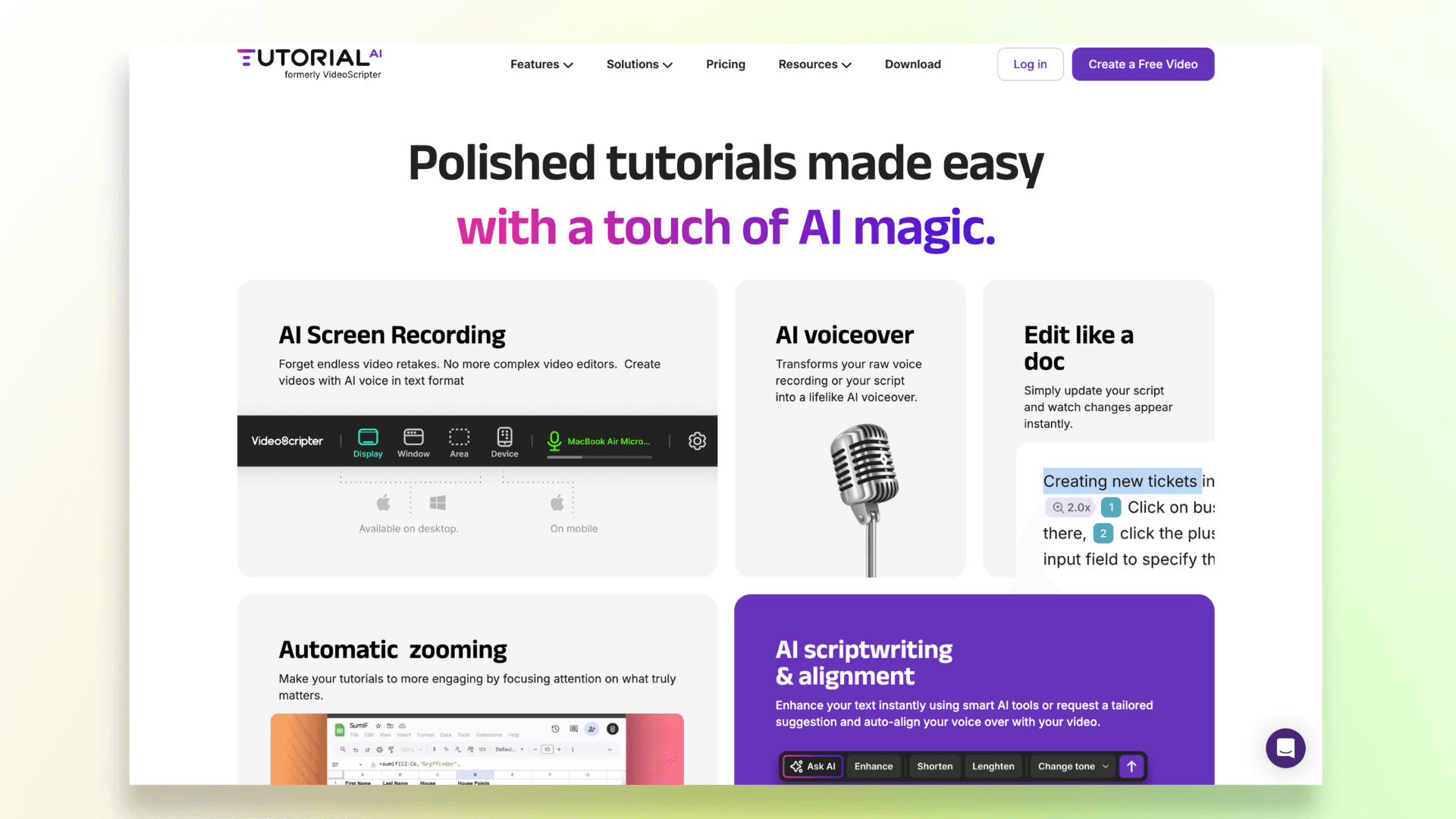
Tutorial.ai feels more like a serious editing tool for people who want extra control over their tutorials and product demos.
Unlike many browser-only tools, it works as a desktop app on both Mac and Windows, which already makes it appealing for users who prefer a more professional editing workflow.
One of its features is the “edit like a doc” approach, where you can modify the script directly.
The platform also includes:
- AI-generated scripts and voiceovers
- Translation and multilingual narration
- Auto-retiming for translated videos
- Branding and customization tools
- Automatic zooms and cursor effects
Tutorial.ai works especially well for power users, trainers, and teams that want more editing flexibility.
The main downside is that it has a bit more of a learning curve compared to simpler “record and export” tools, especially if you’re completely new to video creation.
5. Synthesia — Best for Avatar-Led Product Explainers
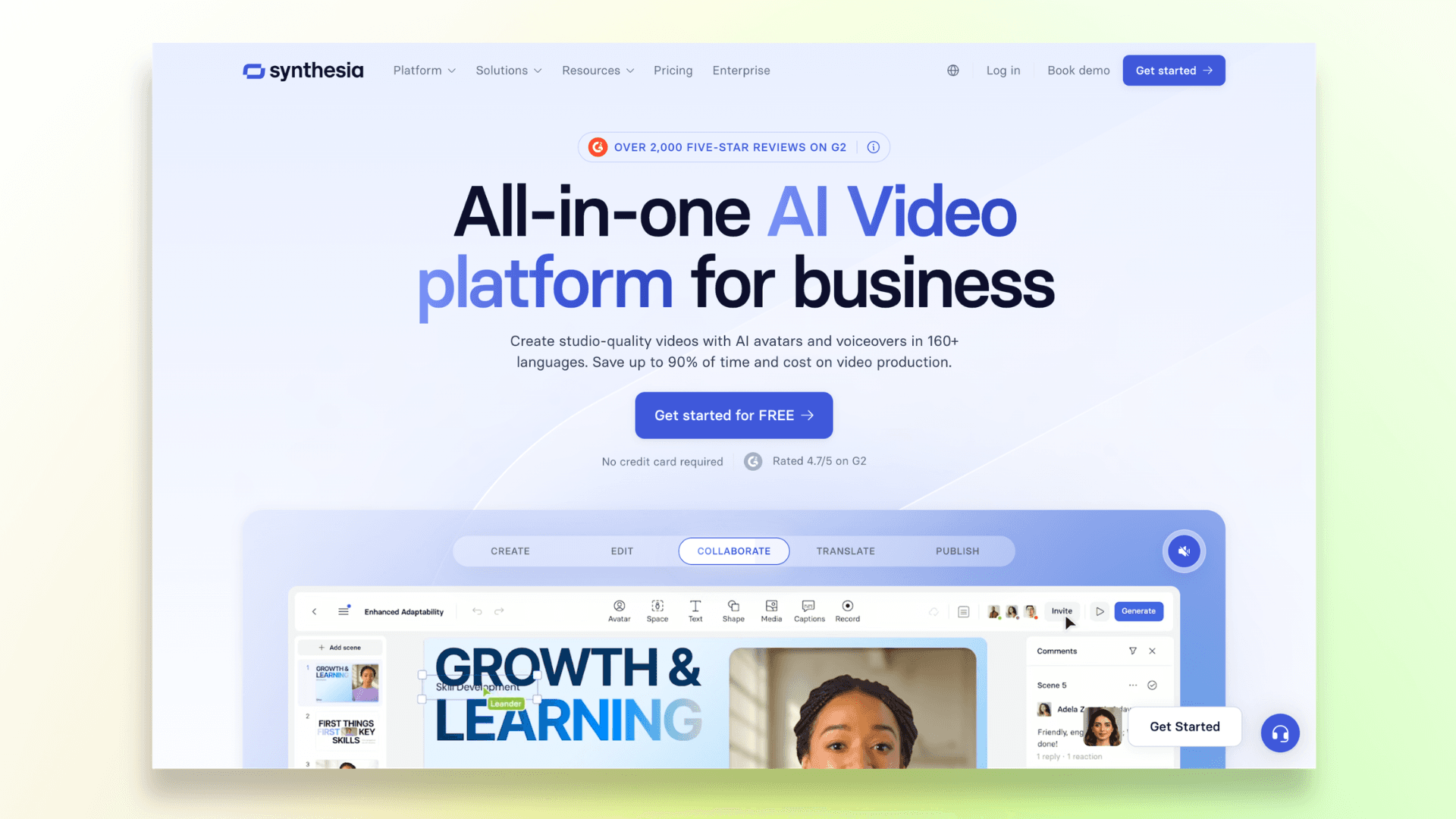
Synthesia takes a very different approach compared to traditional screen-recording tools.
You simply write a script, choose an AI avatar, and the platform generates a presenter-style video for you.
That’s why Synthesia is more suited for product explainers, onboarding intros, training videos, and company presentations rather than detailed step-by-step SaaS walkthroughs.
The platform comes with:
- 240+ AI avatars
- 1000+ AI voices and languages
- AI-generated voiceovers
- Team collaboration features
- Enterprise-grade security and compliance tools
One of the biggest reasons larger companies use Synthesia is its scalability. Teams can quickly create videos in multiple languages without recording presenters.
That said, it’s not the best fit for detailed product demos where users need to follow exact cursor movements and UI interactions.
For those types of walkthroughs, screen-recording-focused tools usually feel more natural.
6. Clevera — Best for Startups That Want the Simplest Workflow
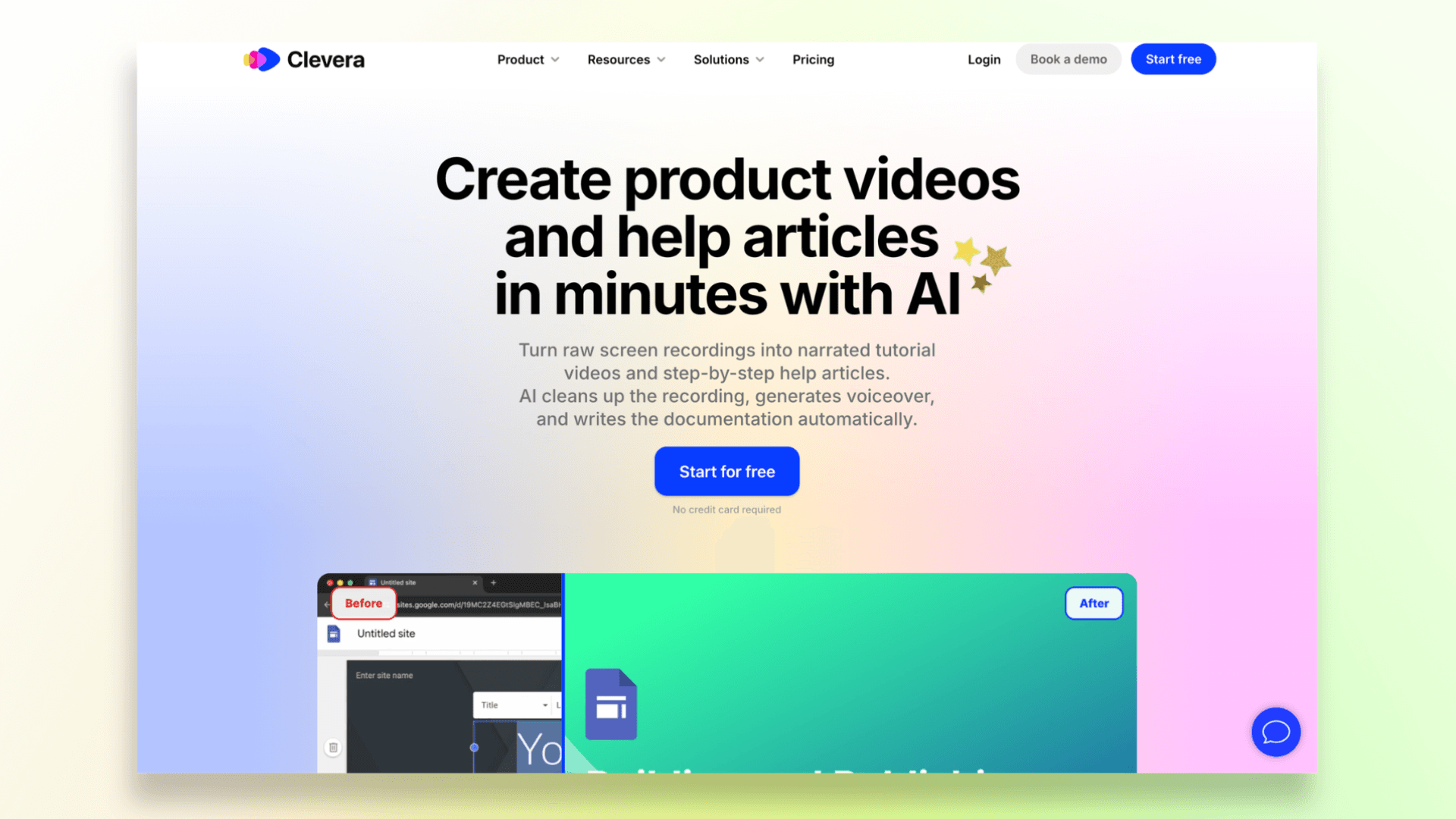
Clevera is built for teams that want to turn raw screen recordings into tutorials as quickly as possible.
The workflow is simple: record your screen, let the AI generate the narration, clean up the pacing, add zooms and highlights, and create a help article alongside the video.
Some notable features include:
- AI-generated voiceovers and narration
- Automatic help article generation
- Smart zooms and screen highlights
- Multi-language support
- Instant updates without re-exporting videos
The platform is clearly designed around the idea of “record once and publish fast,” which works well for quick onboarding videos, tutorials, and product updates.
The main limitation is editing flexibility. Compared to tools with a deeper timeline or multi-track editing, Clevera feels more automation-focused, so power users may find the controls a bit limited for highly customized demos.
7. Guidde — Best for Enterprise Knowledge Management
Guidde is built more for large-scale knowledge sharing than simple product demo creation.
The platform focuses heavily on helping companies create and distribute internal training content, SOPs, onboarding guides, and support documentation across teams.
You can quickly record workflows, generate AI voiceovers, and turn processes into shareable video guides.
Some notable features include:
- AI-generated video documentation
- Knowledge sharing and distribution tools
- Integrations with platforms like Salesforce, SAP, Zendesk, and Slack
- Team collaboration and workspace management
The main downside is that the platform can feel a bit too enterprise-heavy for smaller teams or solo creators who simply want fast product demo videos.
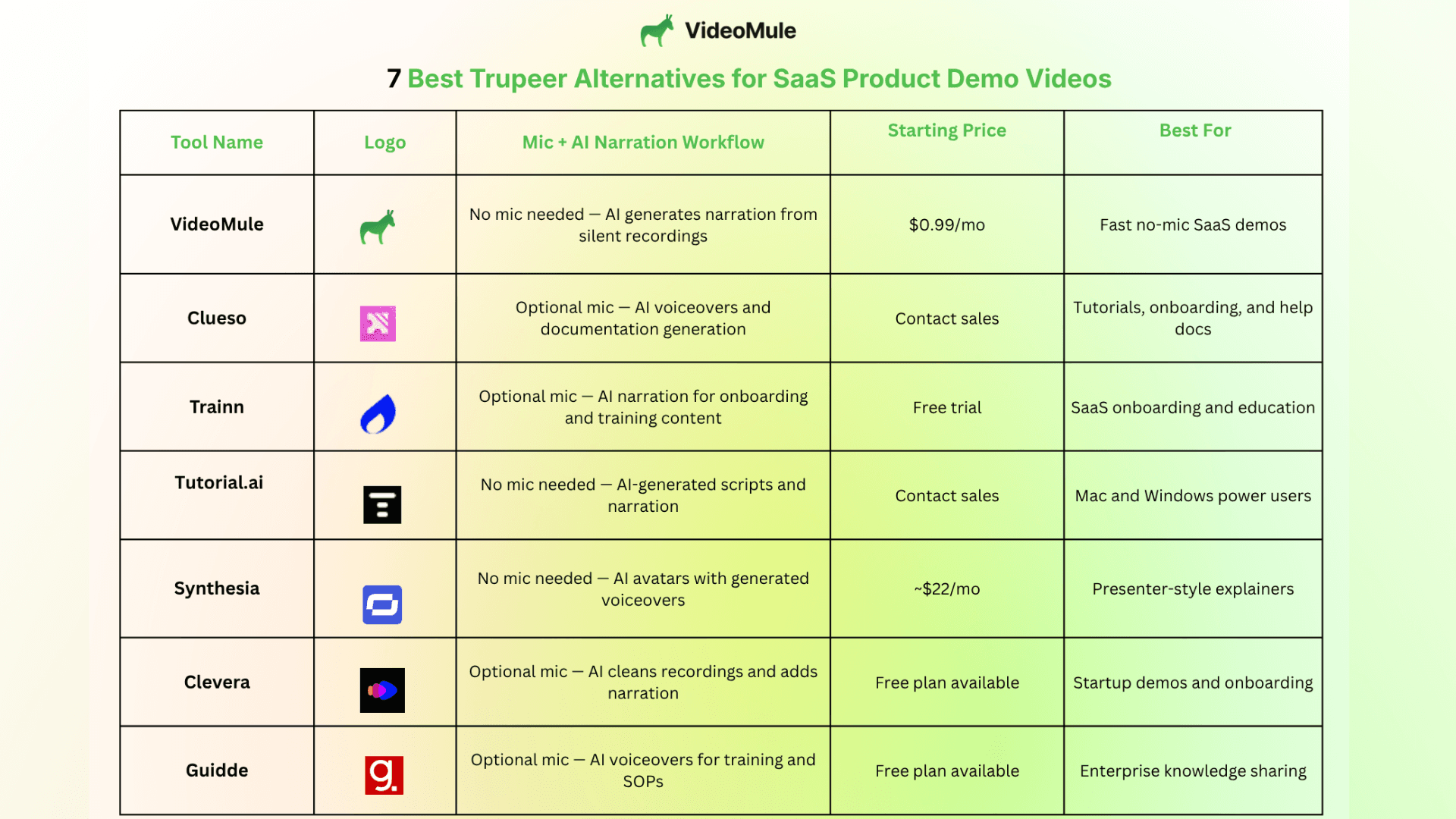
Quick Comparison Table — All 7 Trupeer Alternatives at a Glance
To make things even easier, here’s a quick side-by-side comparison of the best Trupeer alternatives for SaaS.
It includes pricing, AI narration workflow, and the type of teams each tool works best for.
You can also explore more tools in this list of the best SaaS product demo video software for additional comparison options.
Which Trupeer Alternative Is Right for You?
Want silent, no-mic demo creation? → VideoMule Best for founders, SaaS teams, and anyone who wants AI-generated narration from silent recordings.
Need videos + documentation together? → Videomule / Clueso / Trainn Great for onboarding guides, tutorials, and customer education.
Want more editing control on Mac/Windows? → Tutorial.ai Better for power users who want a more flexible editing workflow.
Need AI avatar videos instead of screen recordings? → Videomule / Synthesia Synthesia when the whole video is the avatar; VideoMule when a custom avatar or digital twin of yourself should present your real product demo.
Need fast startup-friendly demos? → Clevera Good for quick tutorials and lightweight onboarding videos.
Need enterprise-scale training and knowledge sharing? → Guidde Best for large organizations managing SOPs and internal training.
Want the best overall Trupeer alternative for workflow + value? → VideoMule Especially if you want to skip voice recording completely and create demos faster.
Final Thoughts: Which Trupeer Alternative Is Best?
If you’re searching for the best Trupeer alternatives for SaaS, the right choice really depends on the kind of workflow you want.
Some tools like Trupeer focus on improving recorded narration, while newer AI product demo video tools are moving toward a more “silent-first” experience with AI-generated voiceovers.
That’s where the comparison of Trupeer vs VideoMule becomes interesting.
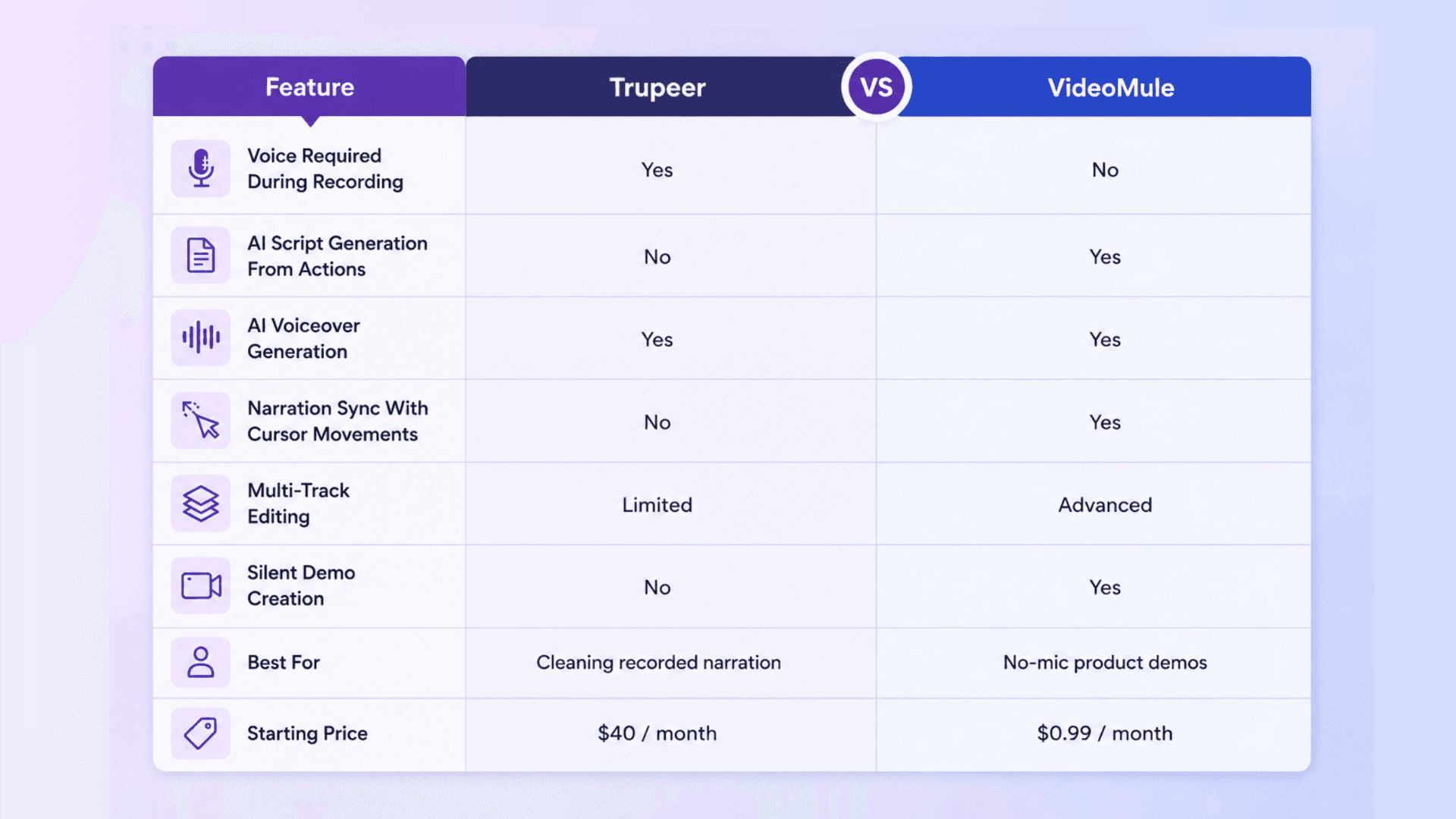
While Trupeer still relies on speaking during recording, VideoMule focuses on screen recording without voiceover, letting AI generate the narration automatically afterward.
Other strong Trupeer competitors also stand out in different areas:
- Clueso → documentation workflows
- Trainn → customer education
- Tutorial.ai → advanced editing control
- Synthesia → AI avatar explainers
- Clevera → fast startup demos
- Guidde → enterprise training
But if you want an AI video maker for product demos that can turn silent recordings into polished walkthroughs quickly, VideoMule is easily one of the strongest options available right now.
FAQs — Best Trupeer Alternatives
1. How to create a product demo video without recording your voice?
You can use AI product demo video tools like VideoMule that support silent screen recording workflows. Instead of recording narration manually, the AI generates the script, voiceover, subtitles, and synced narration automatically from your screen actions.
2. What is the best Trupeer alternative for beginners?
For beginners, VideoMule and Clevera are among the easiest tools to use because they focus heavily on automation and fast demo creation without complex editing.
3. Can I create a SaaS demo without a microphone?
Yes. Several tools now support screen recording without voiceover, where AI creates the narration afterward. VideoMule is one of the strongest options for this type of workflow.
4. Is VideoMule better than Trupeer?
The comparison of Trupeer vs VideoMule mostly comes down to workflow preference. Trupeer improves recorded narration, while VideoMule removes the need to record narration entirely by generating AI voiceovers from silent recordings.
5. Which AI tool creates voiceovers from silent screen recordings?
VideoMule is specifically designed for this workflow. You can record your product silently, and the AI automatically generates narration, subtitles, and synced voiceovers.
6. How does VideoMule work for SaaS demos?
You record or upload a silent screen recording, and VideoMule analyzes the on-screen actions to generate the script, AI narration, subtitles, and final synced product demo automatically.
7. What are the limitations of Trupeer?
Some users feel limited by Trupeer’s voice-first workflow, Chrome-only setup, pricing jump on higher plans, and editing flexibility. That’s why many teams start exploring other tools like Trupeer with more silent-demo-focused workflows.
8. Which demo video tool is best for non-native English speakers?
Tools that support AI-generated narration are usually the best fit. VideoMule, Synthesia, and Clueso all support multilingual AI voiceovers, making demo creation much easier for global teams.
Keep reading
Product Demo Video Maker
Turn a product recording into a polished demo with auto-zoom, AI script and voiceover.