Trupeer vs VideoMule: Which AI Video Tool Is Better in 2026?
Compare Trupeer vs VideoMule to see which AI video tool is best for SaaS demos, onboarding, training, pricing, features, and ease of use.
You record a quick product walkthrough.
Then comes the hard part.
Writing the script. Recording the voiceover. Editing the video. Adding captions. Fixing awkward pauses. Exporting everything.
What started as a 5-minute screen recording suddenly turns into hours of work.
That's exactly the problem tools like Trupeer and VideoMule are trying to solve. Both use AI to turn screen recordings into professional content, but they take different approaches.
In this Trupeer vs VideoMule comparison, we'll look at where each tool shines, who they're built for, and which one is the better fit for your workflow.
Quick Answer: Should You Choose Trupeer or VideoMule?
If you're comparing Trupeer vs VideoMule, the best choice depends on what you need most.
Some teams need videos and documentation together, while others just want a fast way to turn screen recordings into professional videos.
| Use Case | Better Choice | Why |
|---|---|---|
| Creating tutorial videos quickly | VideoMule | Turns screen recordings into narrated videos with less manual work. |
| Creating videos and written guides | Trupeer | Designed for teams that need both video content and documentation. |
| SaaS onboarding videos | VideoMule | Makes it easy to create product walkthroughs and step-by-step onboarding videos. |
| Large teams and enterprise workflows | Trupeer | Offers more features for team collaboration, documentation, and content management. |
| Beginners who don't want to record their voice | VideoMule | AI can generate the script and voiceover from a screen recording. |
| Adding an AI avatar of yourself | VideoMule | Train a digital twin from your own footage instead of picking a stock face. |
| Creating content in multiple languages | Both | Both translate; VideoMule re-runs the full pipeline per language in 70+ languages. |
| Exporting videos without limits | VideoMule | Paid plans include free unlimited local renders in your browser. |
Want to explore more tools for employee training and onboarding? Check out our guide to the best employee onboarding video software for SaaS teams.
What Is Trupeer?
Trupeer is an AI-powered platform that helps teams turn screen recordings into both professional videos and written documentation.
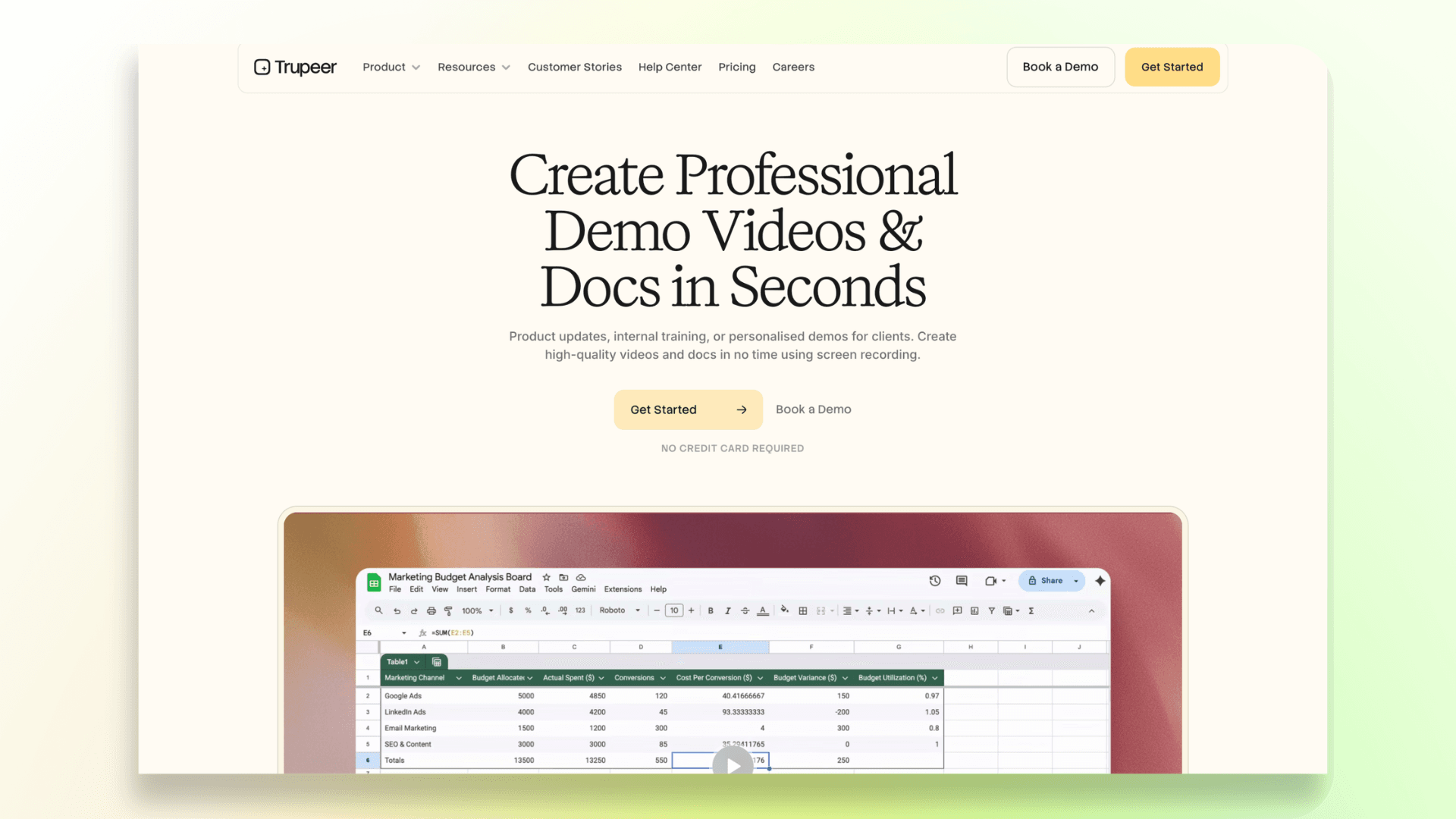
Instead of creating videos and guides separately, users can record once and generate multiple types of content from the same workflow.
What Can You Do With Trupeer?
- Create product demo videos from screen recordings
- Generate step-by-step documentation and guides
- Translate content into multiple languages
- Use AI avatars and voiceovers
- Build knowledge base content
- Share branded content with teams and customers
Who Is Trupeer Best For?
Trupeer is a good fit for teams that need both videos and written documentation, such as:
- Customer success teams creating walkthroughs and help guides
- Product marketing teams launching new features
- Training teams building SOPs and internal learning materials
- SaaS companies managing large knowledge bases
Is Trupeer Only a Video Tool?
No. While video creation is a major part of the platform, Trupeer is also built for documentation and knowledge management. This makes it useful for teams that want videos and written guides working together.
Example Use Cases
- Customer Success Team: Create a product walkthrough video and automatically generate a written help article.
- Product Marketing Team: Publish a feature announcement video along with supporting documentation.
- Training Team: Turn a screen recording into an internal training video and SOP guide.
Overall, Trupeer is best suited for companies that need an all-in-one solution for videos, documentation, and knowledge-sharing rather than just a simple video creation tool.
What Is VideoMule?
VideoMule is an AI-powered video creation tool that helps users turn screen recordings into professional, narrated videos.
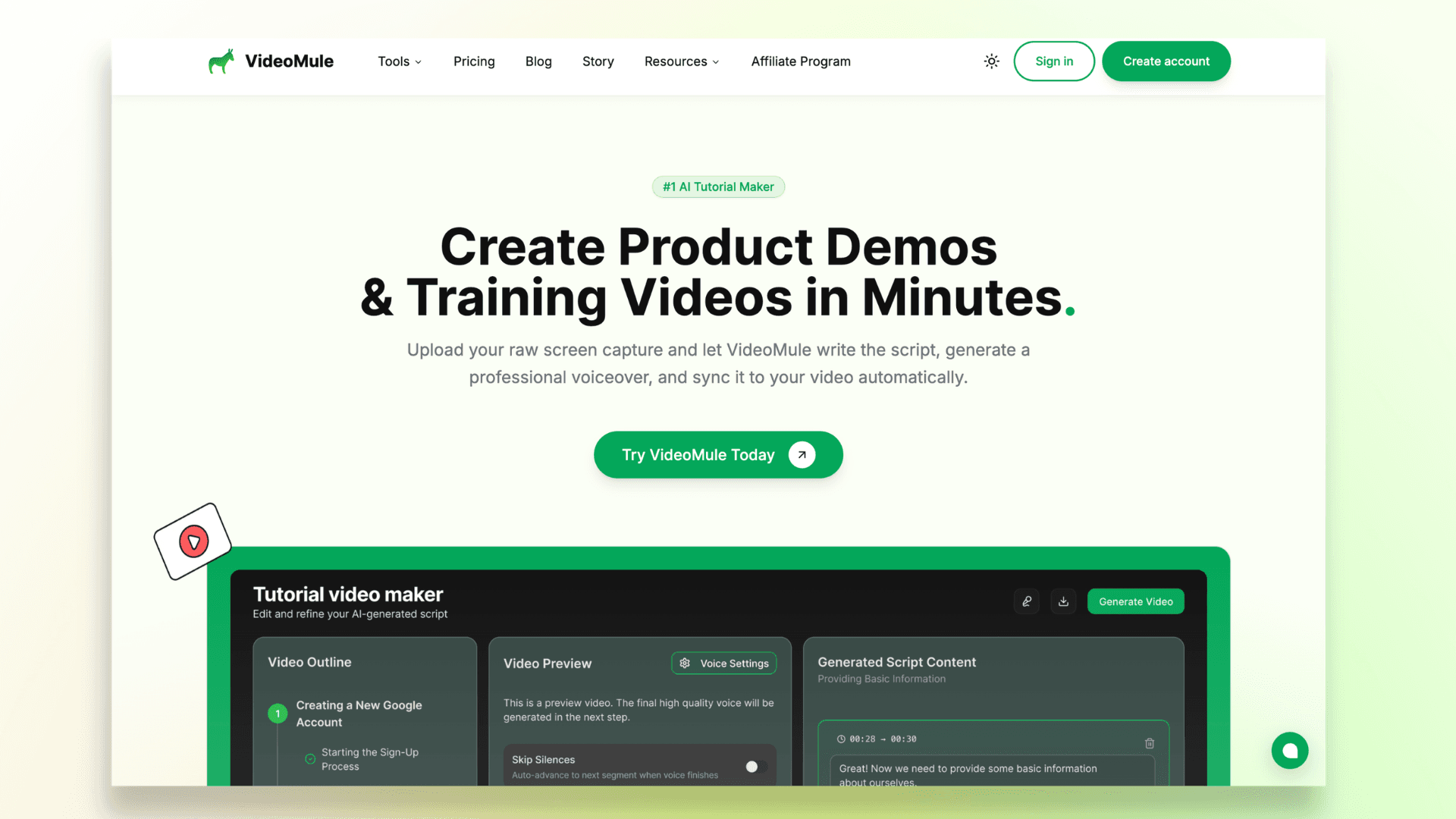
Instead of writing scripts, recording voiceovers, and editing everything yourself, VideoMule uses AI to automate much of the process.
The platform is designed around a simple workflow that takes users from screen recording to a finished video in just a few steps.
How Does VideoMule Work?
- Record or upload a screen recording.
- VideoMule analyzes what's happening on the screen.
- AI generates a script based on the recording.
- Choose an AI voice for narration.
- VideoMule syncs the voiceover with the visuals.
- Edit captions, timing, or script if needed.
- Export the final video.
What Can You Do With VideoMule?
VideoMule can be used to create:
- SaaS product demos
- Onboarding videos
- Feature announcement videos
- Product walkthroughs
- Tutorial videos
- Training videos
- Educational content
Do You Need to Record Your Own Voice?
No. One of VideoMule's biggest advantages is that you can create a complete video without recording a voiceover yourself.
The AI can generate the script and narration automatically, making it a great option for users who don't have professional recording equipment or simply don't want to be on the microphone.
Can You Add an AI Avatar to Your Videos?
Yes. Both tools support AI avatars, but they take different approaches. Trupeer lets you add AI avatars to your recordings. VideoMule lets you go a step further: alongside stock avatars, you can create a photo avatar from a single photo or train a digital twin — an AI clone of yourself — from 15 seconds to 10 minutes of your own footage. The avatar then presents the intro, outro, and transitions around your screen recording, rendered at 1080p across three quality tiers, so the product itself stays the focus. Translations work the same way: each of the 70+ supported languages gets a translated script, a native AI voiceover, captions, and a separate render — not a dub overlay.
Is VideoMule Good for Beginners?
Yes. VideoMule is built for users who want a straightforward way to create videos without learning complex editing software.
The step-by-step workflow makes it easy for founders, customer success teams, educators, and marketers to create polished videos quickly.
Example Use Cases
- Founder: Record a silent walkthrough of a new product feature and turn it into a narrated product demo.
- Customer Success Manager: Create onboarding videos for new customers without manually writing scripts or recording voiceovers.
- Technical Writer: Upload an existing screen recording and convert it into a professional tutorial video with captions and AI narration.
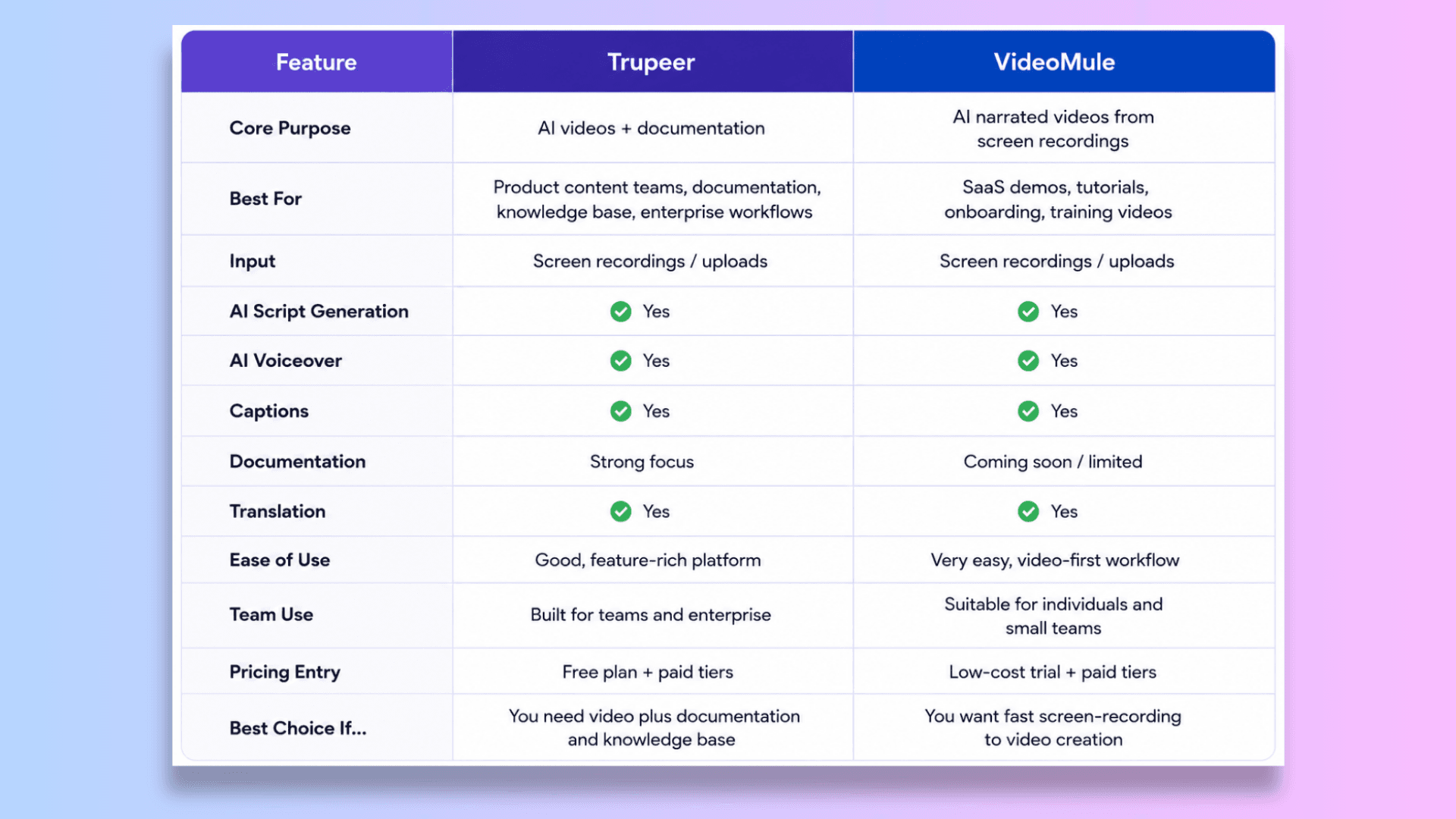
Trupeer vs VideoMule: Feature Comparison Table
The table below highlights the key differences to help you decide which tool is the better fit for your needs.
Want to compare more tools? See our roundup of the best Trupeer alternatives.
Render Limits and Export Costs
Export limits are easy to overlook until you hit one. Trupeer's free plan offers 10 AI minutes and up to 3 video exports, and videos created on it include a watermark — worth keeping in mind if you re-export often.
VideoMule's paid plans (starting with Creator at $29/month) include free unlimited local renders. Videos render locally in your browser, up to 4K and watermark-free, without consuming your monthly cloud render quota. If a video needs more processing power, VideoMule automatically falls back to cloud rendering.
Paid plans also include monthly cloud renders — 30 on Creator, 60 on Team, and 120 on Agency — so you can tweak a script, re-export, and iterate as much as you want. Full plan details are on the pricing page.
How to Use Trupeer
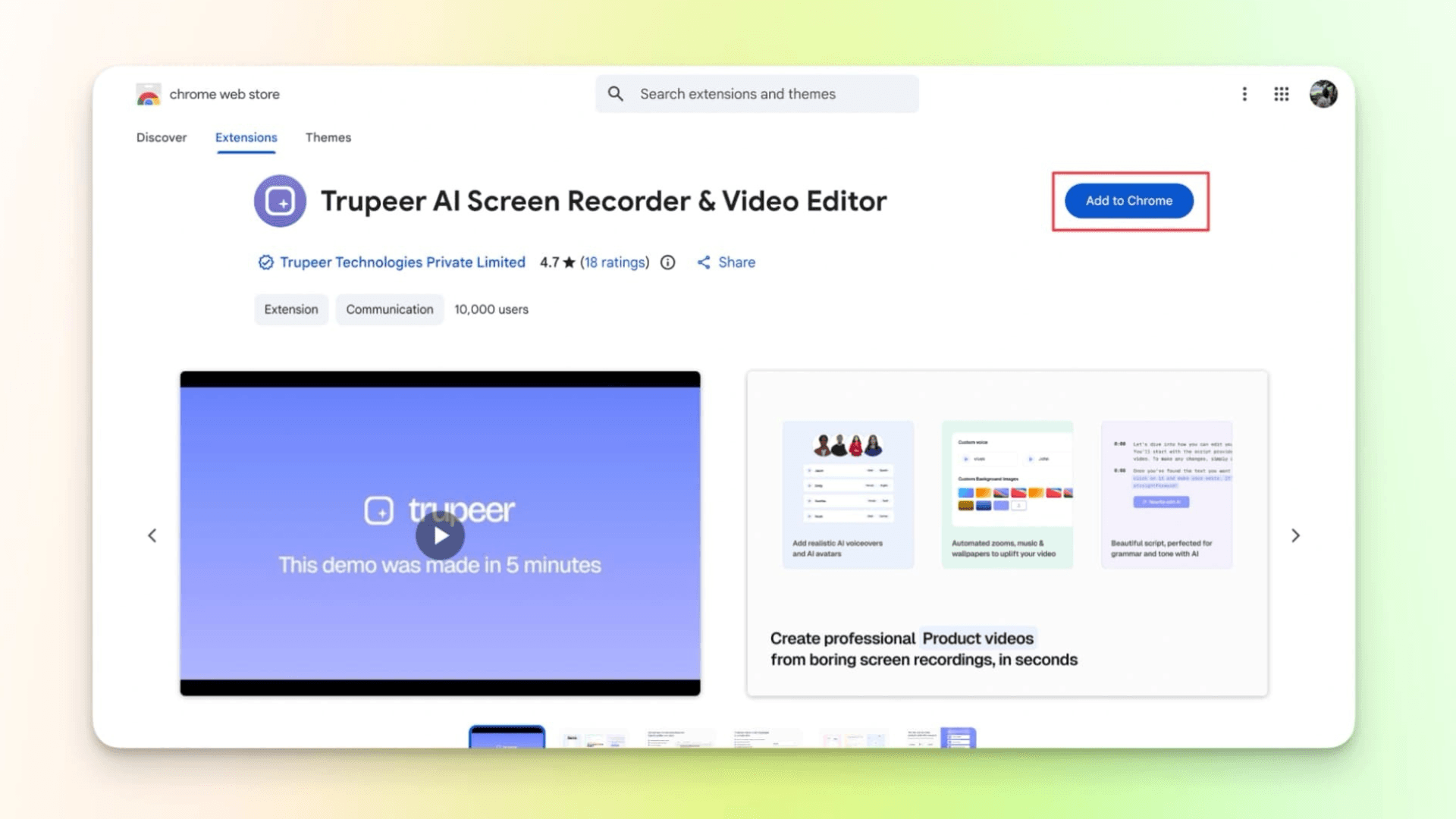
Step 1: Download the Chrome extension with the link.
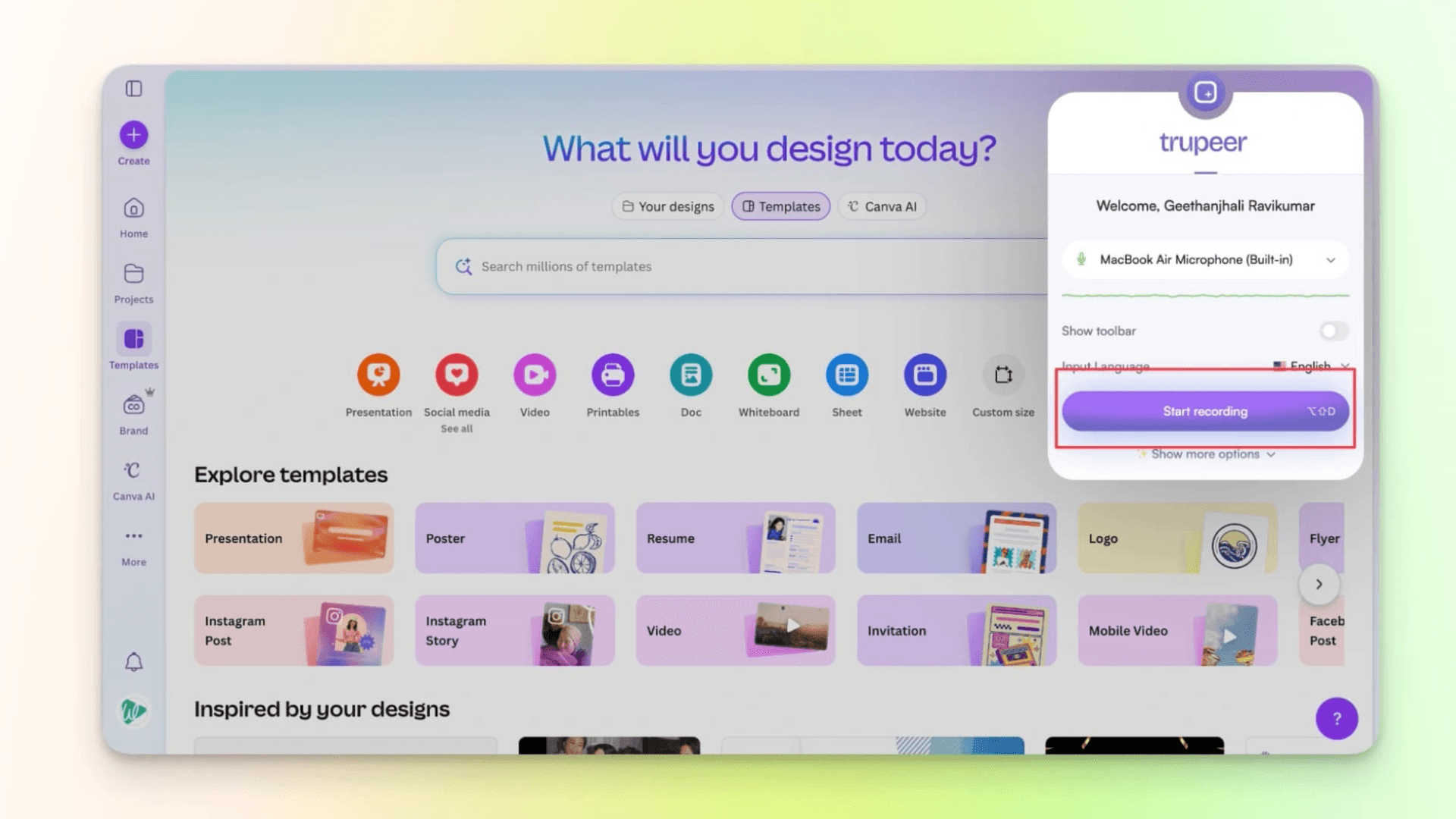
Step 2: Open the extension on any tab and start recording. Record your screen while you explain.
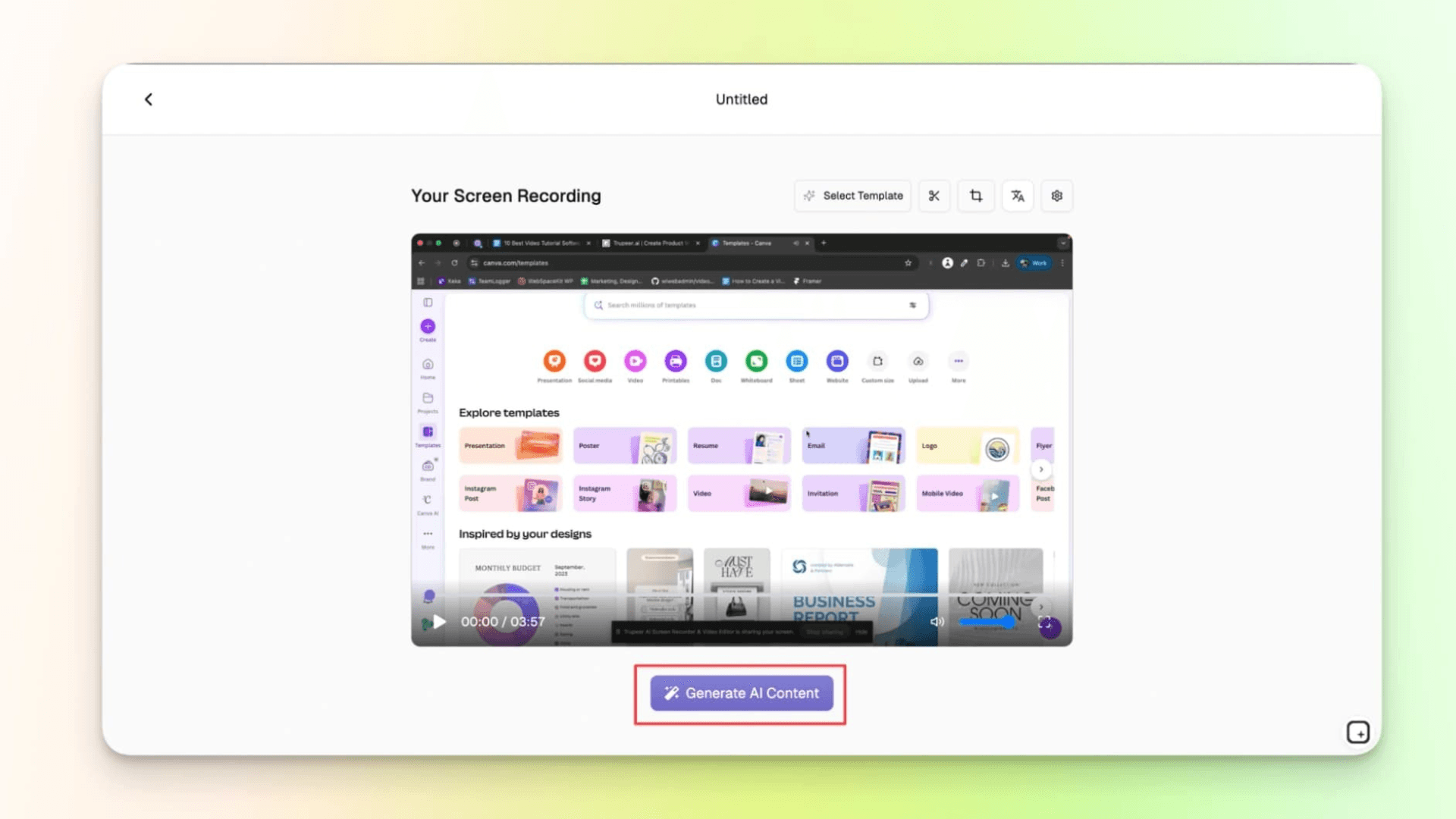
Step 3: Check your video, then click Generate AI Content.
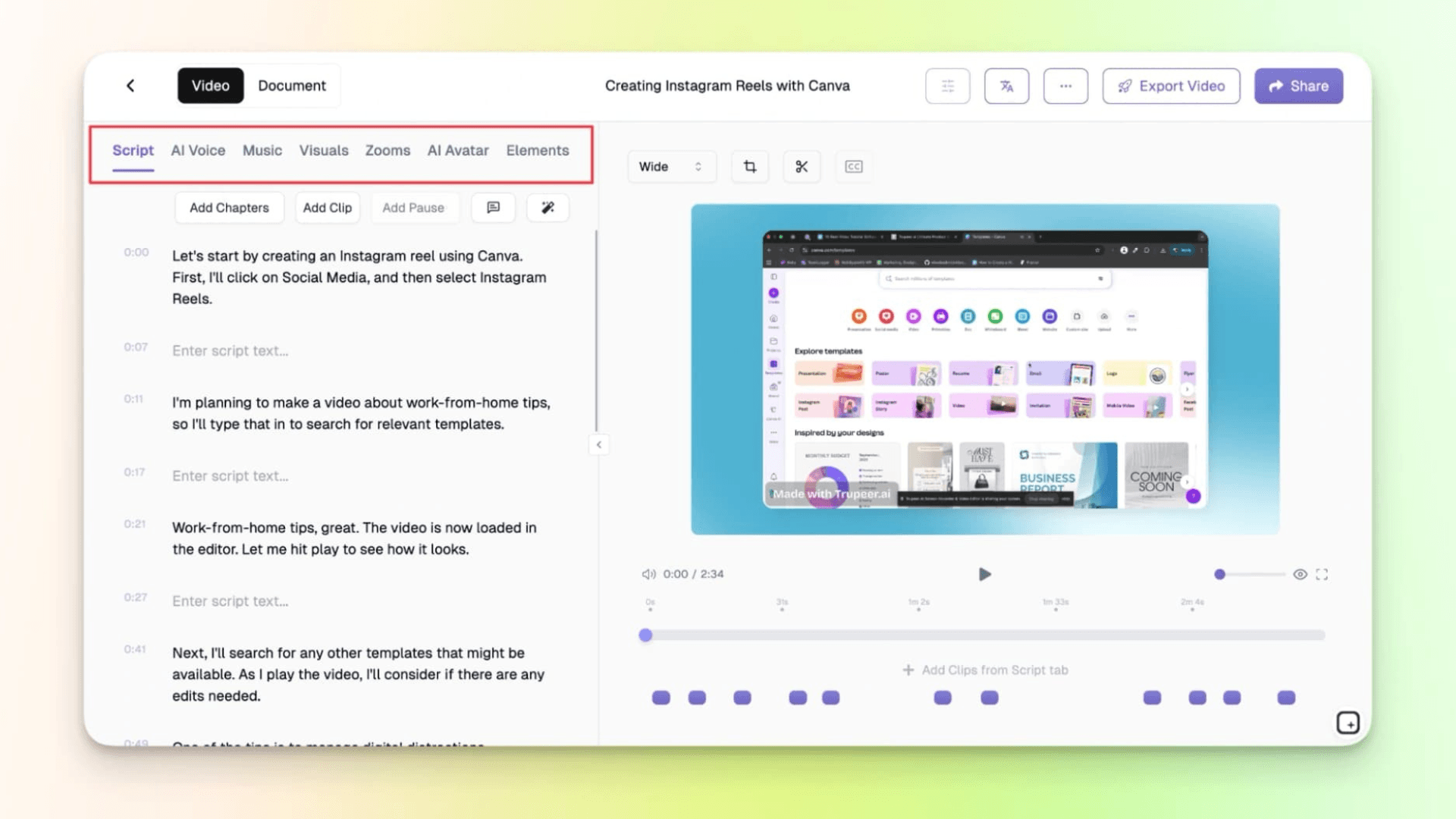
Step 4: Make changes to the script; you can pick an AI voice or add music.
Also, it creates a guide that you can use for blogs, help guides, or other documentation.
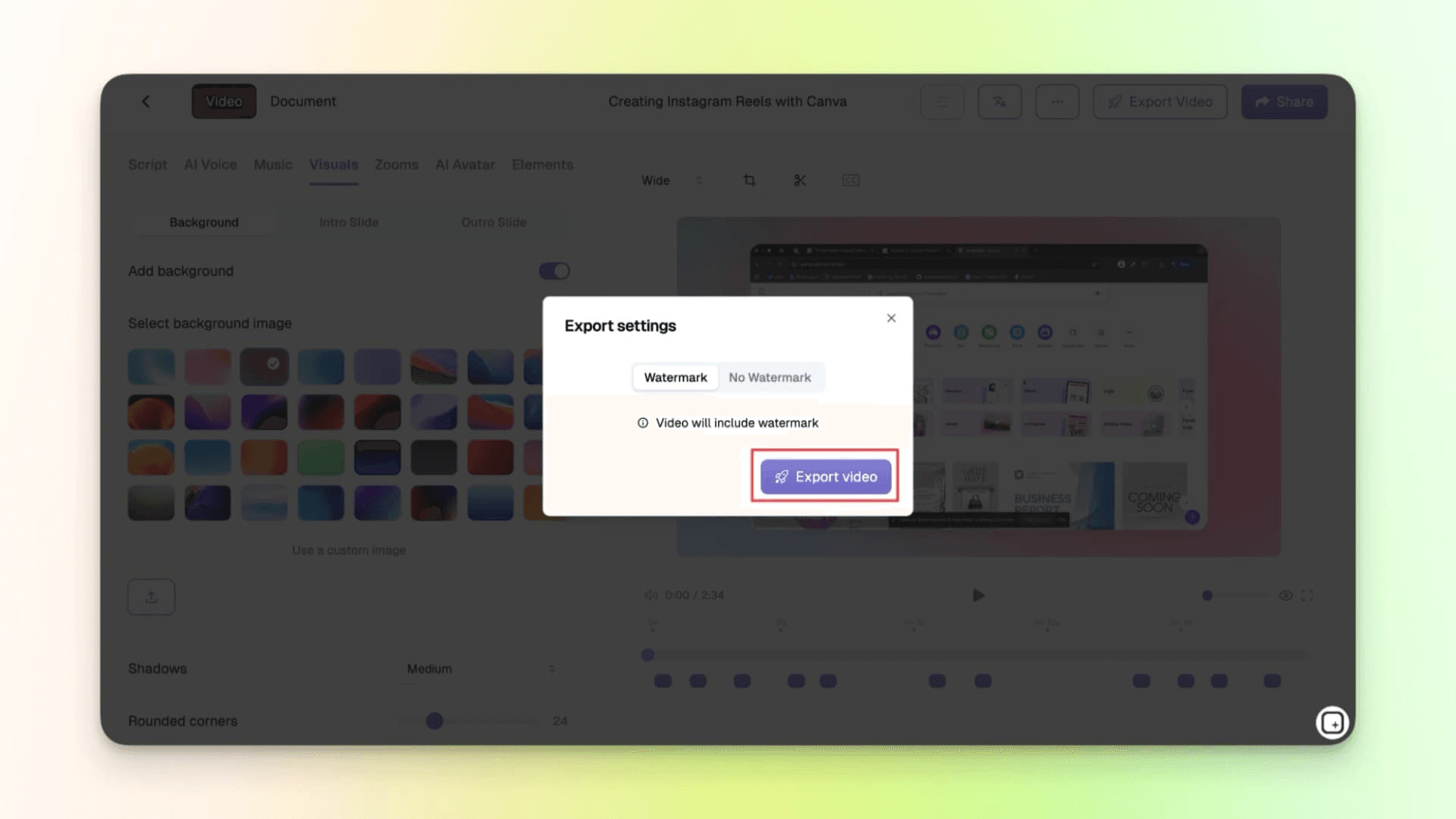
Step 5: Finally, export your video and document. Keep in mind that videos created on the free plan include a watermark. The free plan offers 10 AI minutes and up to 3 video exports.
How to Use VideoMule
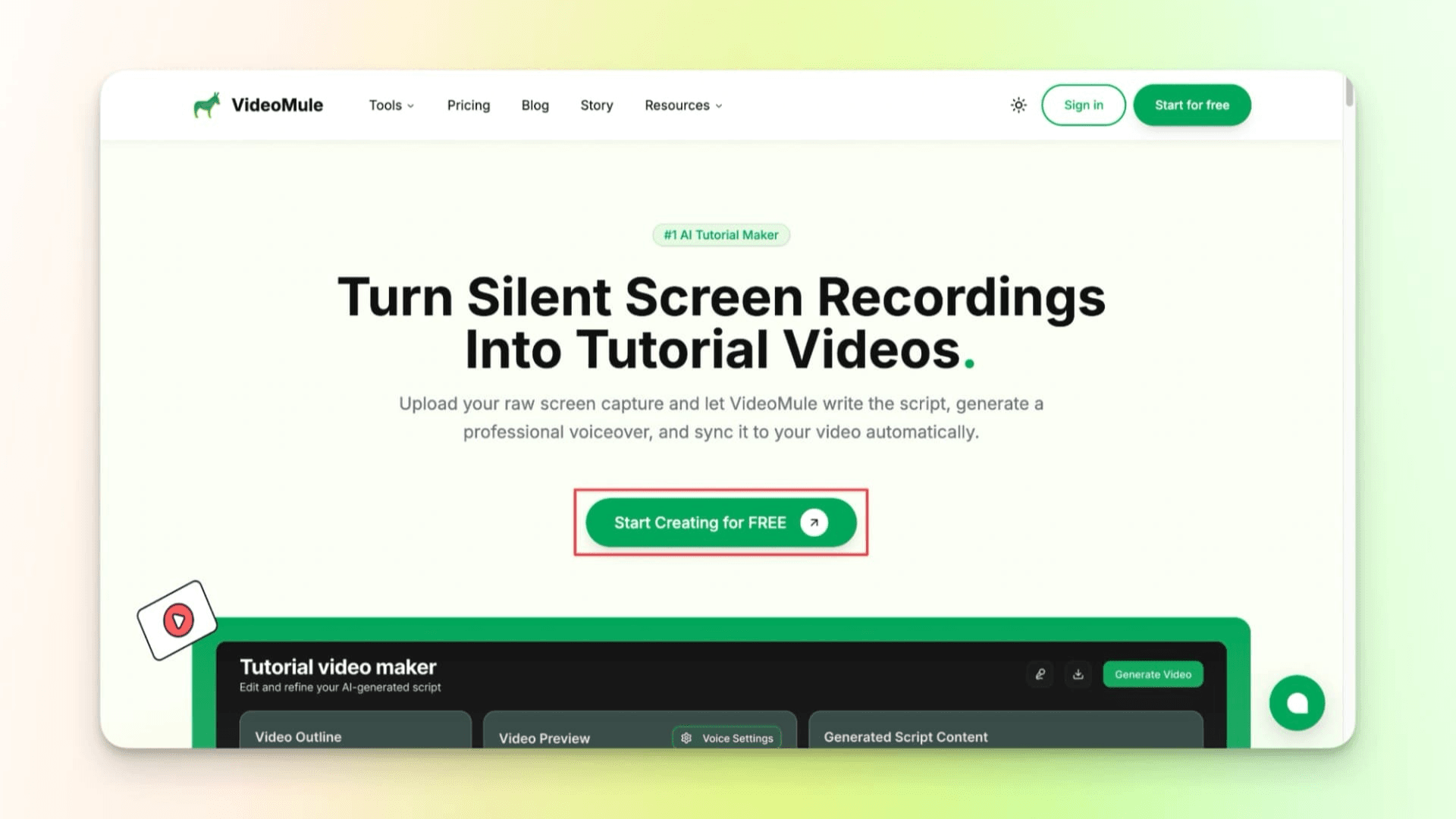
Step 1: Go to the VideoMule homepage and click Start Creating for FREE.
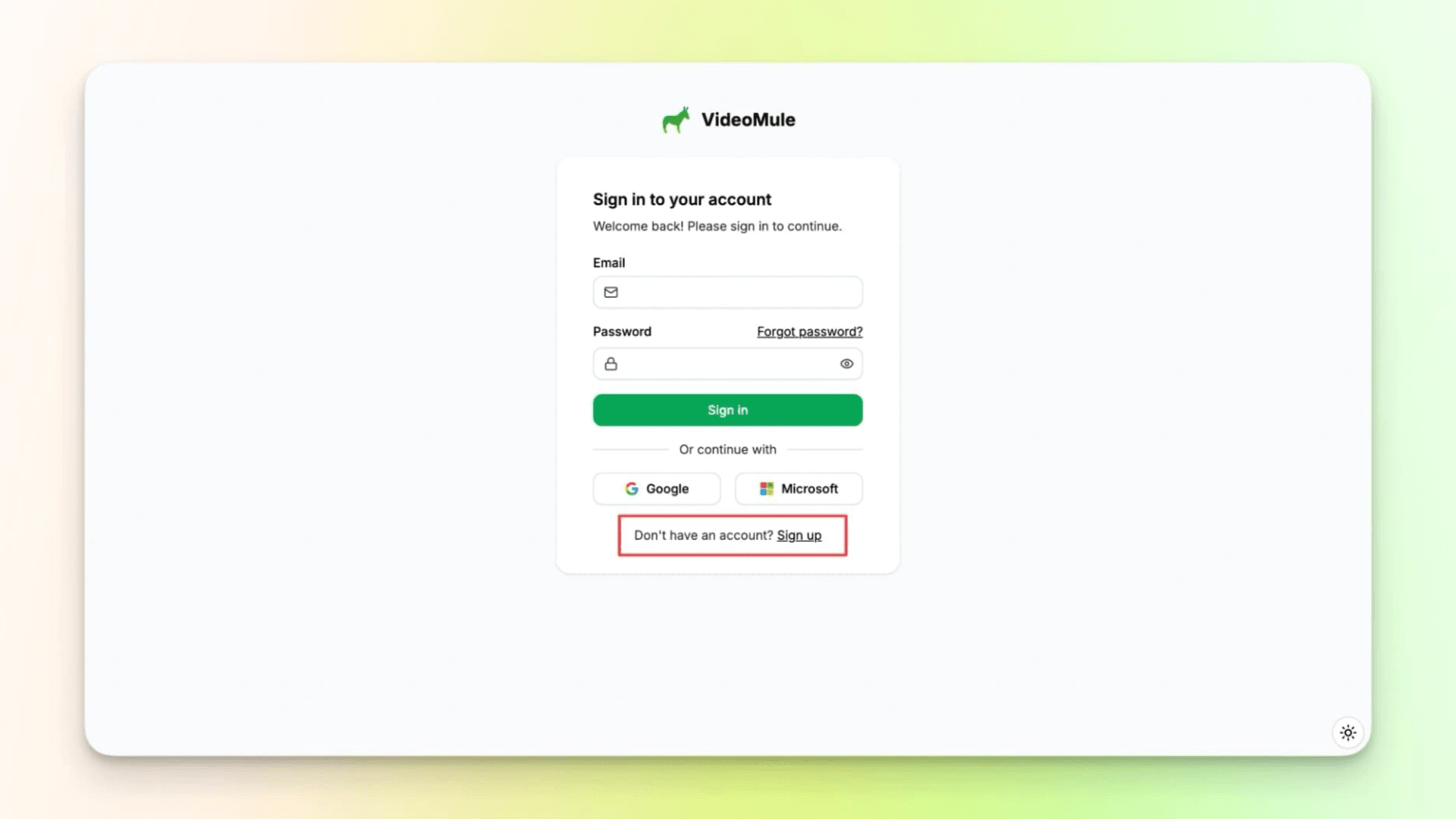
Step 2: Create an account or sign in using Google or Microsoft.
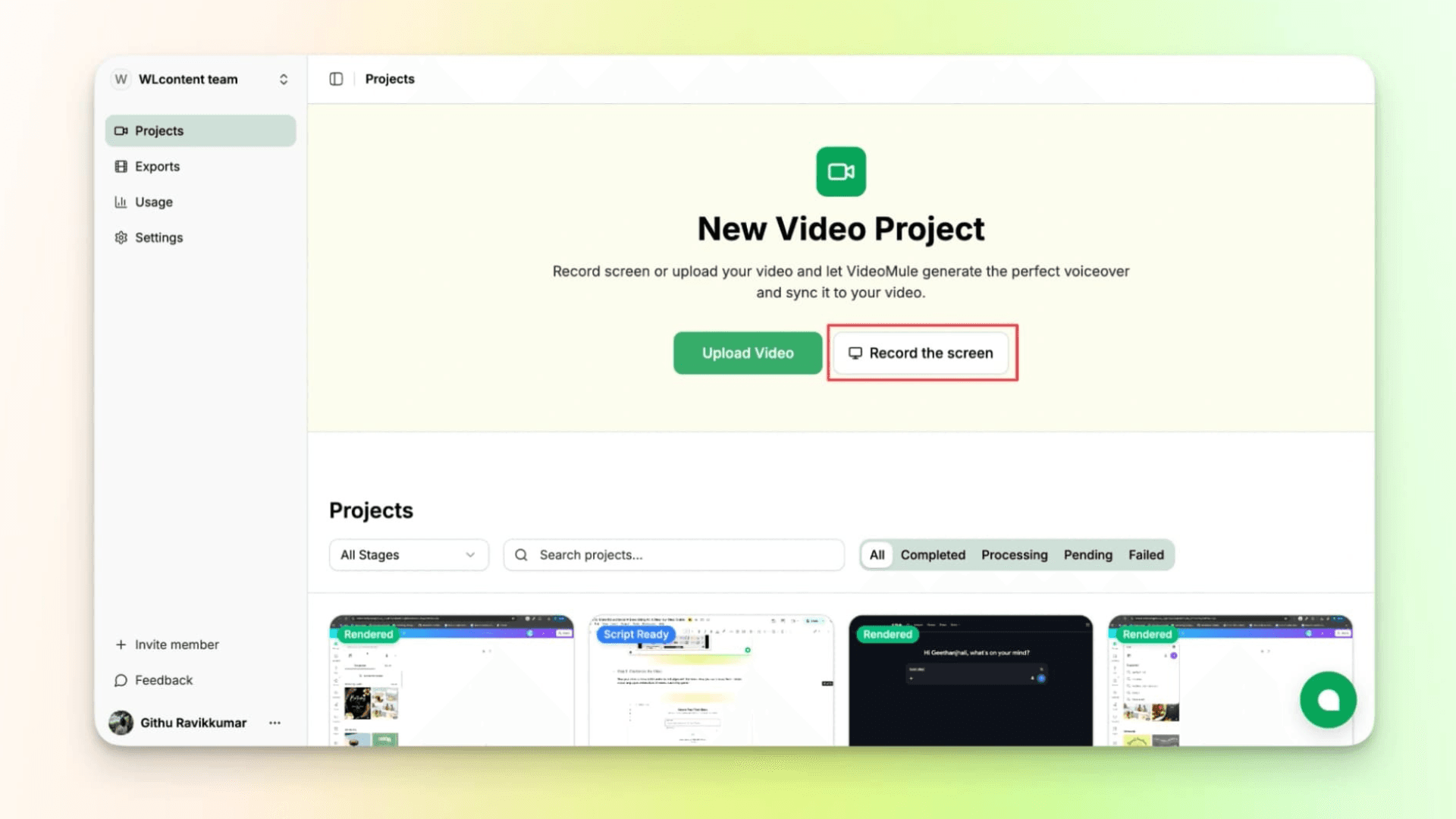
Step 3: Record your screen inside the tool or upload a screen recording.
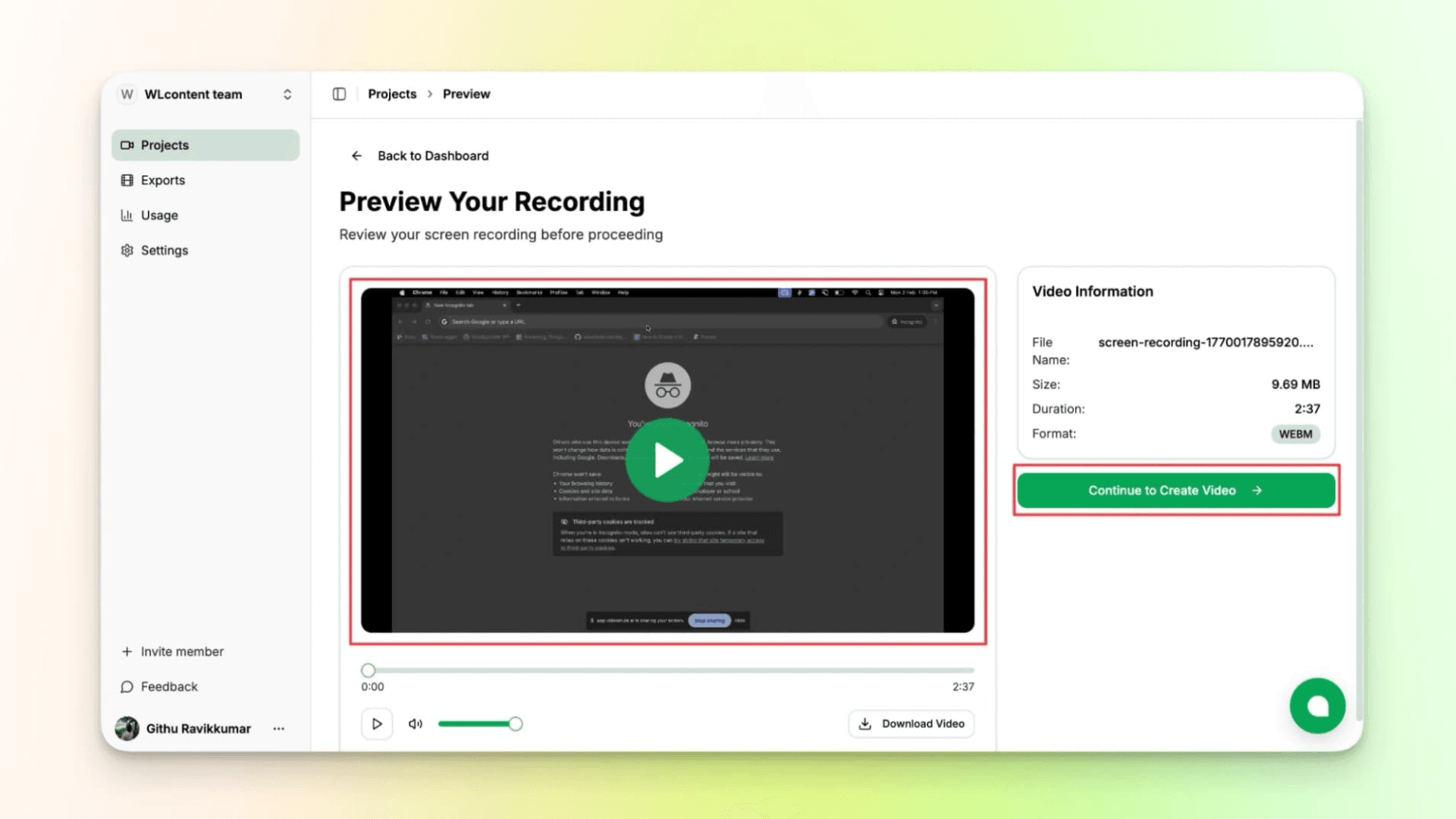
Step 4: Preview the recording and confirm it looks right.
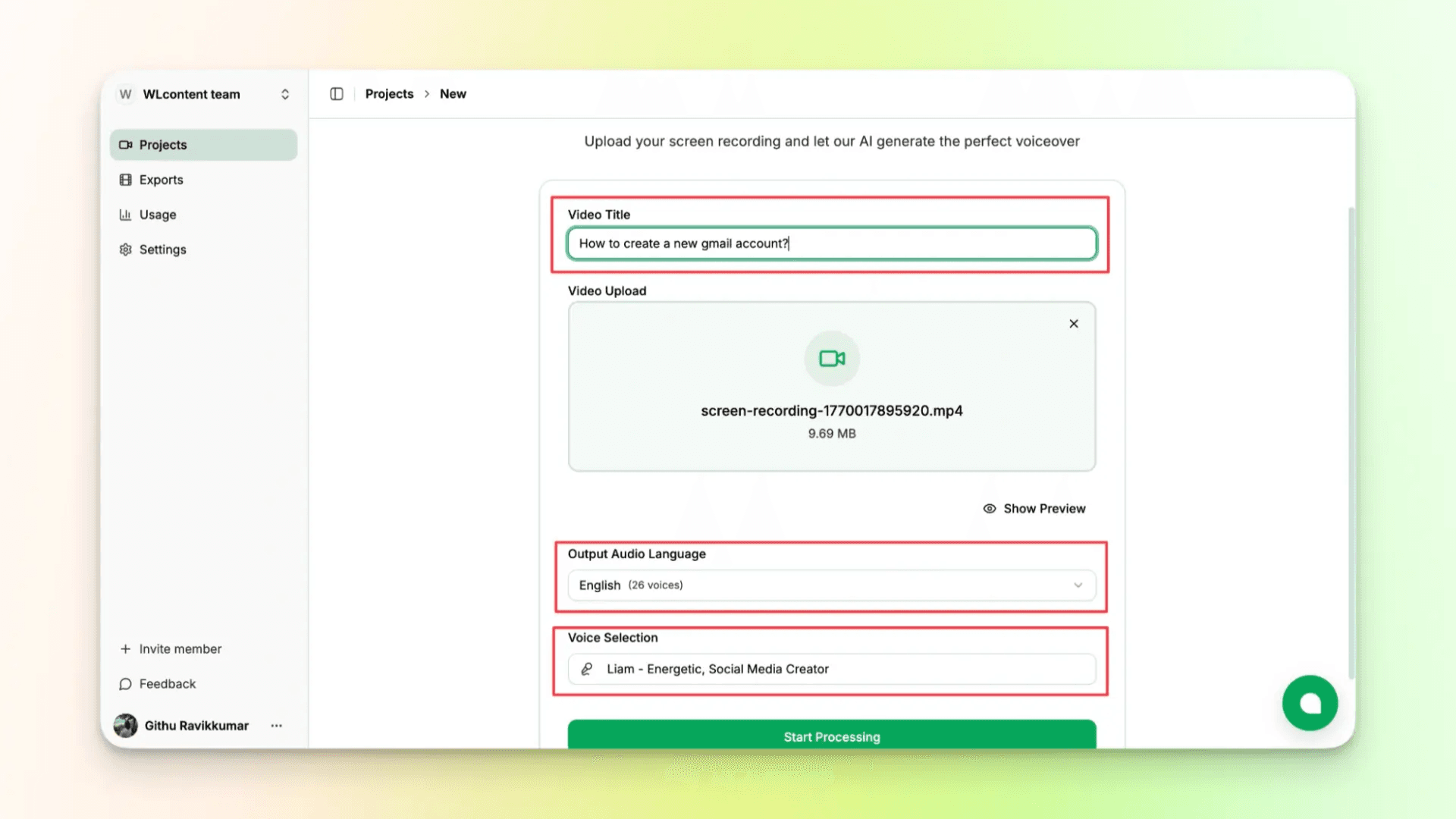
Step 5: Name the video and choose the output language and AI voice.
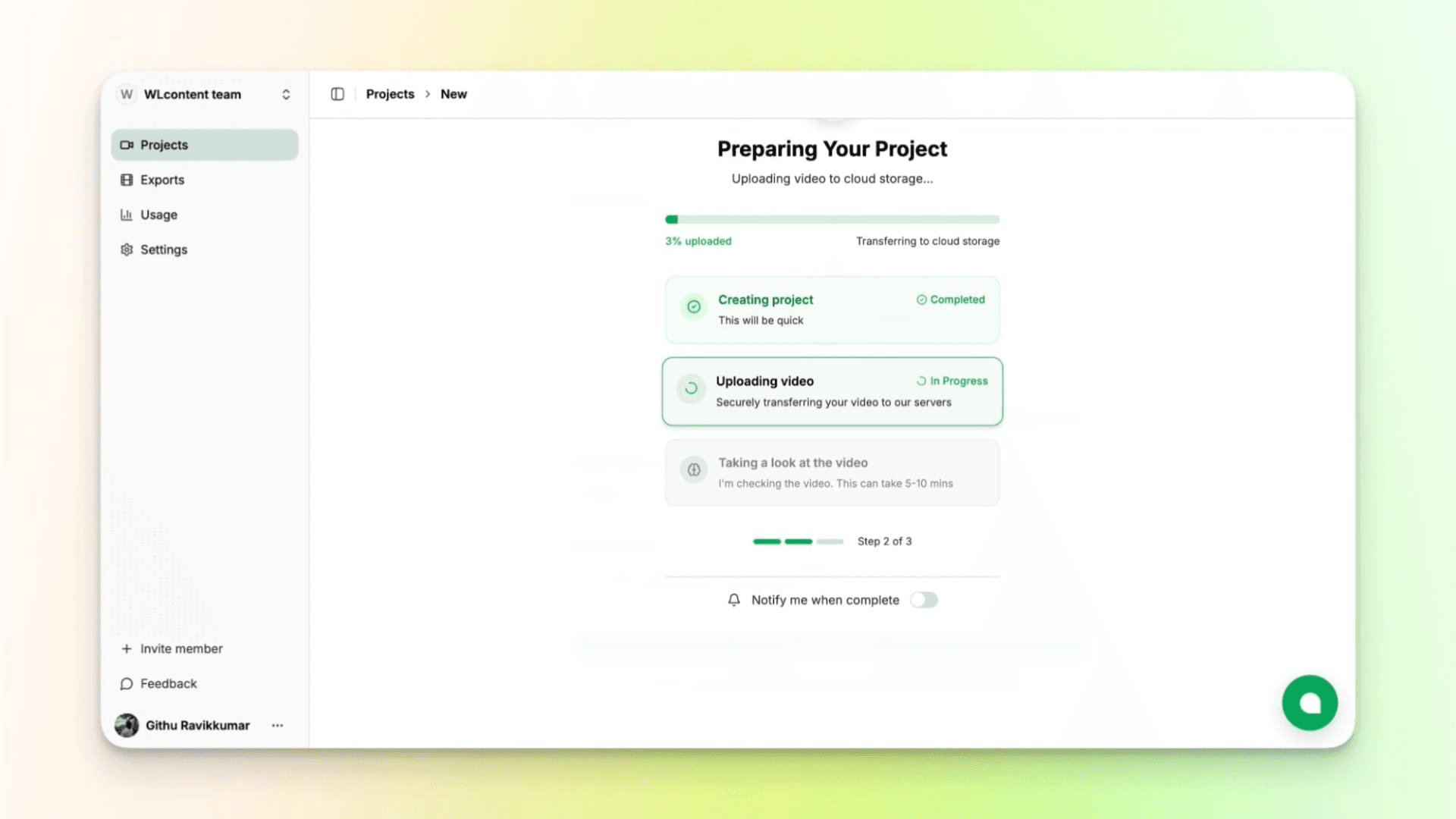
Step 6: Let the tool analyze the recording and generate a script.
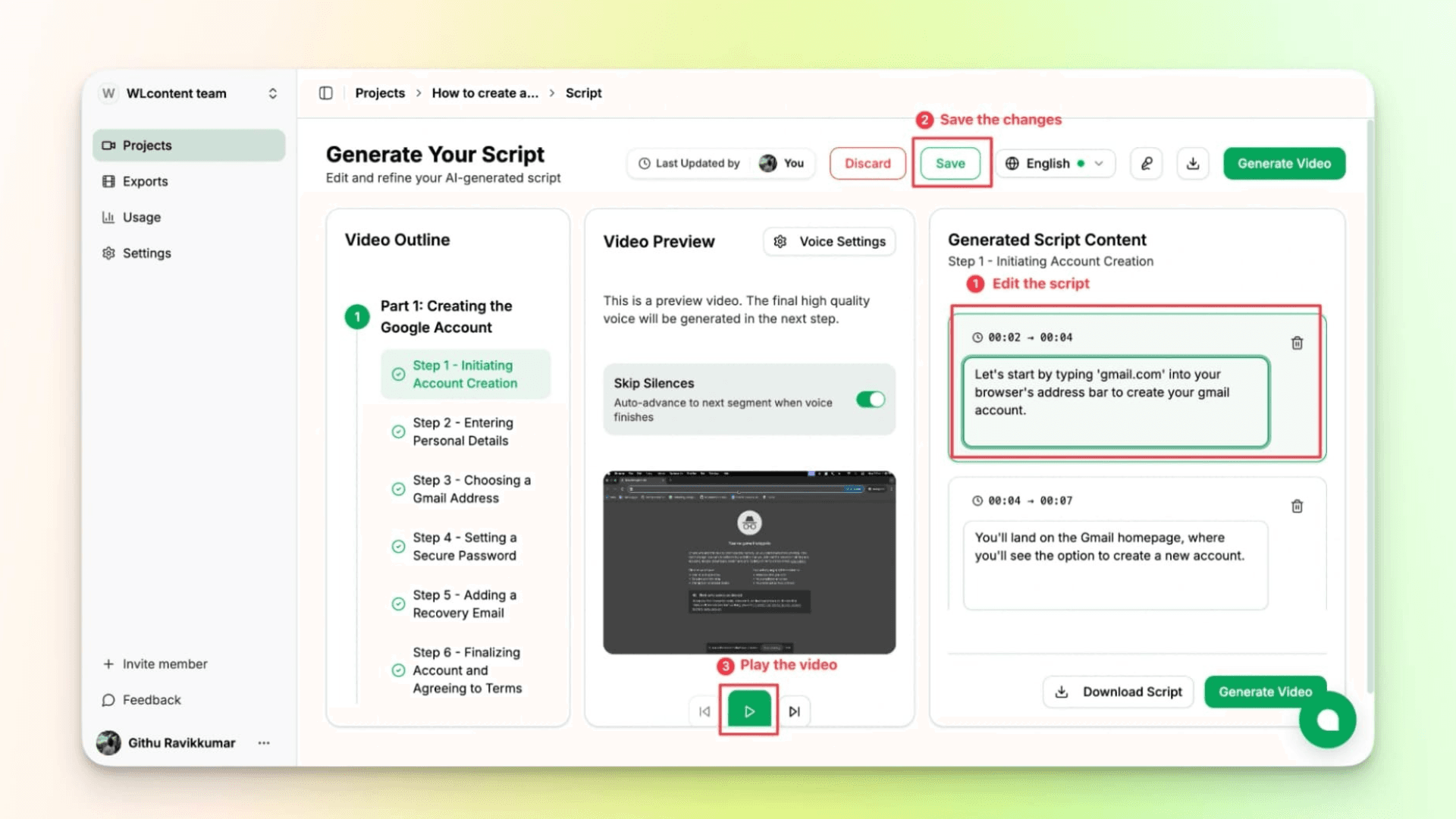
Step 7: Review or edit the script if needed as shown below.
Step 8: Wait for the tool to generate the video with AI voiceover and captions. Once done, review the final video and export it.
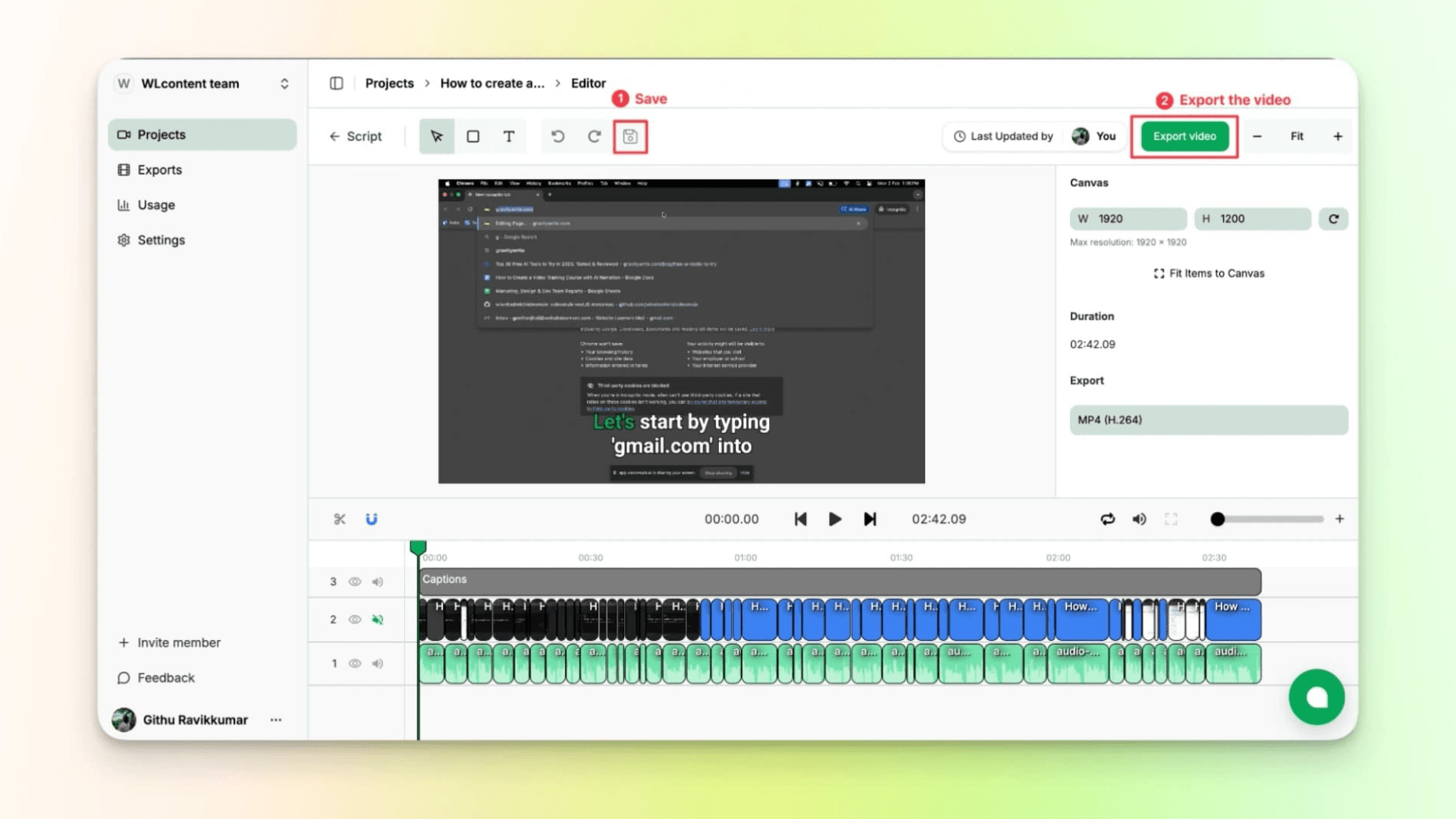
If you want an all-in-one tool to create AI videos without any effort, VideoMule is the best.
Final Verdict: Which AI Video Tool Is Better in 2026?
Both Trupeer and VideoMule are great tools, but they are built for different purposes.
Choose Trupeer if you need both videos and written documentation in one place. Choose VideoMule if you want a simple way to turn screen recordings into professional videos with AI-generated scripts, voiceovers, and captions.
Quick Summary:
- SaaS demos → VideoMule
- Onboarding videos → VideoMule
- Training videos → VideoMule
- Documentation and knowledge bases → Trupeer
- Beginners → VideoMule
- Large teams and enterprise workflows → Trupeer
If your goal is to create tutorials, product demos, onboarding videos, or training content quickly, VideoMule is the easier choice. Try VideoMule today and see how easily you can turn a simple screen recording into a polished, professional video.
FAQs on Trupeer vs VideoMule
Is VideoMule better than Trupeer?
VideoMule is a better choice if you want to create tutorials, product demos, onboarding videos, or training videos quickly. It focuses on turning screen recordings into polished videos with as little effort as possible — and if you want an avatar presenter, you can use a digital twin trained from your own footage rather than a stock face.
Is Trupeer better than VideoMule?
Trupeer is a stronger option for teams that need more than just videos. If you also want documentation, guides, and knowledge base content, Trupeer offers more tools for those workflows.
Which tool is easier for beginners?
For most beginners, VideoMule is easier to use. You can upload a screen recording, let the AI generate a script and voiceover, make a few edits, and export the video.
Which tool is better for SaaS demos?
VideoMule is usually the easier option for SaaS demos. It helps you turn product walkthroughs into professional videos without spending hours scripting or editing.
Can I create videos without recording my own voice?
Yes. Both tools offer AI voiceovers, so you can create a complete video without recording your own narration.
Which tool is cheaper?
That depends on what you need. VideoMule is often a more affordable choice for individuals and small teams, while Trupeer's pricing is easier to justify if you need documentation and team-focused features.
Which tool is better for product documentation?
If documentation is important to your workflow, Trupeer is the better choice. It is built to create both videos and written guides from the same content.
Which tool should small SaaS teams choose?
Most small SaaS teams will probably find VideoMule a better fit. It makes it easy to create product demos, onboarding videos, and feature walkthroughs without needing a dedicated video editor.
Keep reading
AI Product Video Maker
Turn a raw screen recording into a polished product video — AI script, voiceover and captions.